
 Launch
Retainer budgeting
Retainers are a financial arrangement commonly used in business and professional services. It is a structured agreement where a client commits to paying a specific amount of money to a business or freelancer on a regular basis (usually monthly) and in return, the client receives a set of services during that same time period.
Retainer payments are typically made in advance and any additional services outside the scope of the retainer are billed separately as ad-hoc work.
Types of retainers
Fixed price, pre-paid retainer
In this model, the vendor or consultant commits to handling a certain amount of work during a predetermined period. The work can be measured by either the number of hours or the total output.
An example of a this would be a marketing agency retainer.Many marketing agencies charge a flat fee each month for ongoing services like content creation, social media management, or SEO optimization.
Time and materials, post-paid retainer
Clients may not have an immediate need for your services but may still want you available when they do. They therefore pay a fee to access your expertise for future services as the need arises.
The most common exampe of this is lawyers. Lawyers often require a general retainer for their availability over a certain period. The initial retainer covers a maximum number of hours of legal work, with additional costs incurred if the work exceeds the amounts.
Benefits of retainers
Retainer budgeting provides stability for service providers and ensures clients have access to consistent services.
Retainer budgeting in missionX
Budget pro is ideal for managing retainers of any type as it is extremely simple and flexible so you can combine retainers with time and materials or fixed-bid budgets.
Pre-paid, recurring retainer
When creating a project simply select retainer as your revenue model.
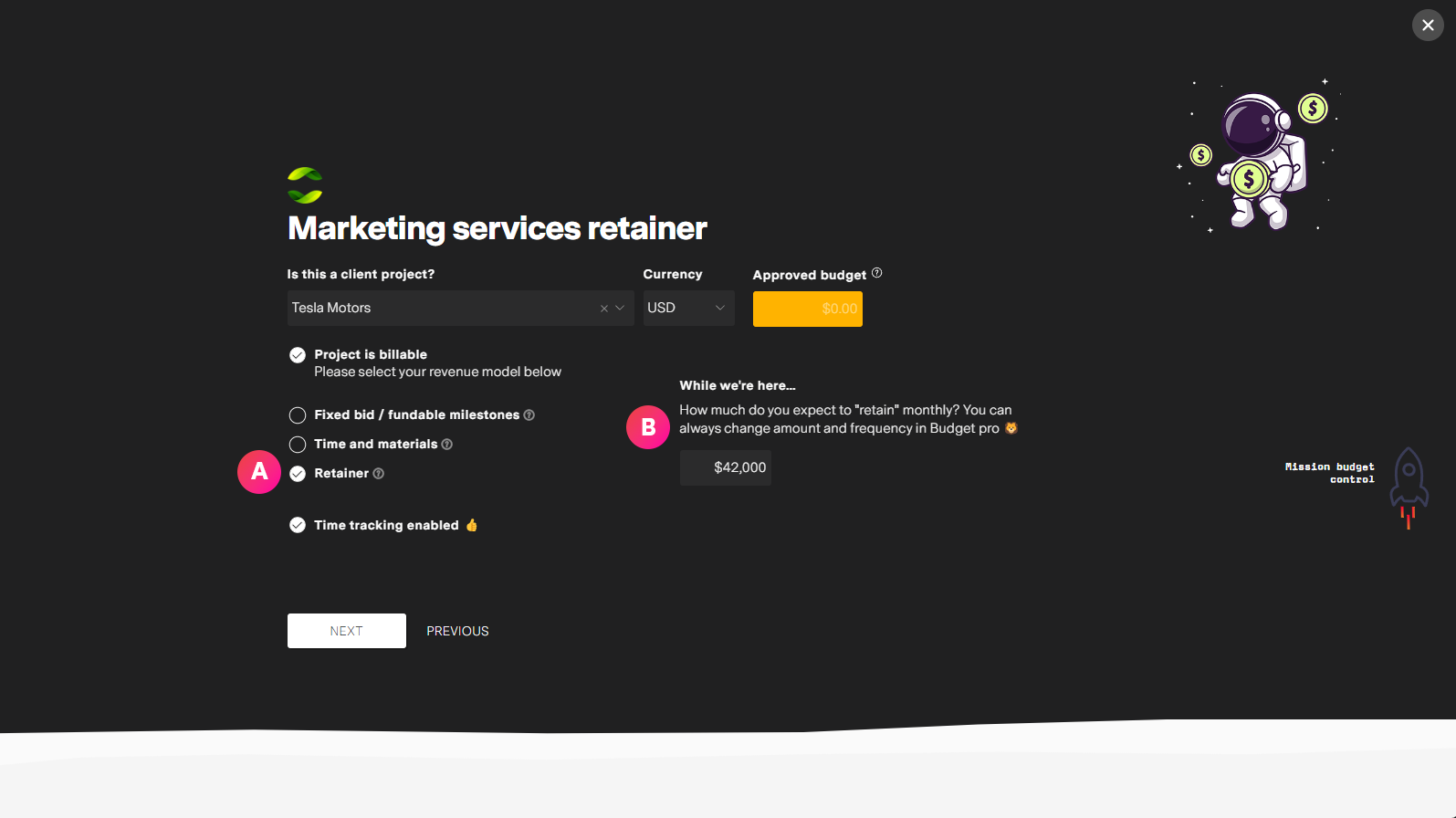
| Label | Feature | Description |
| A | Revenue model | To setup a recurring retainer select Retainer as the revneue model. |
| B | Retainer amount | Enter the monthly recurring amount you expect expect to earn. You can always change this later. |
Adjusting recurring retainers
You can manage the retainer from Budget Pro's Line-Items tab
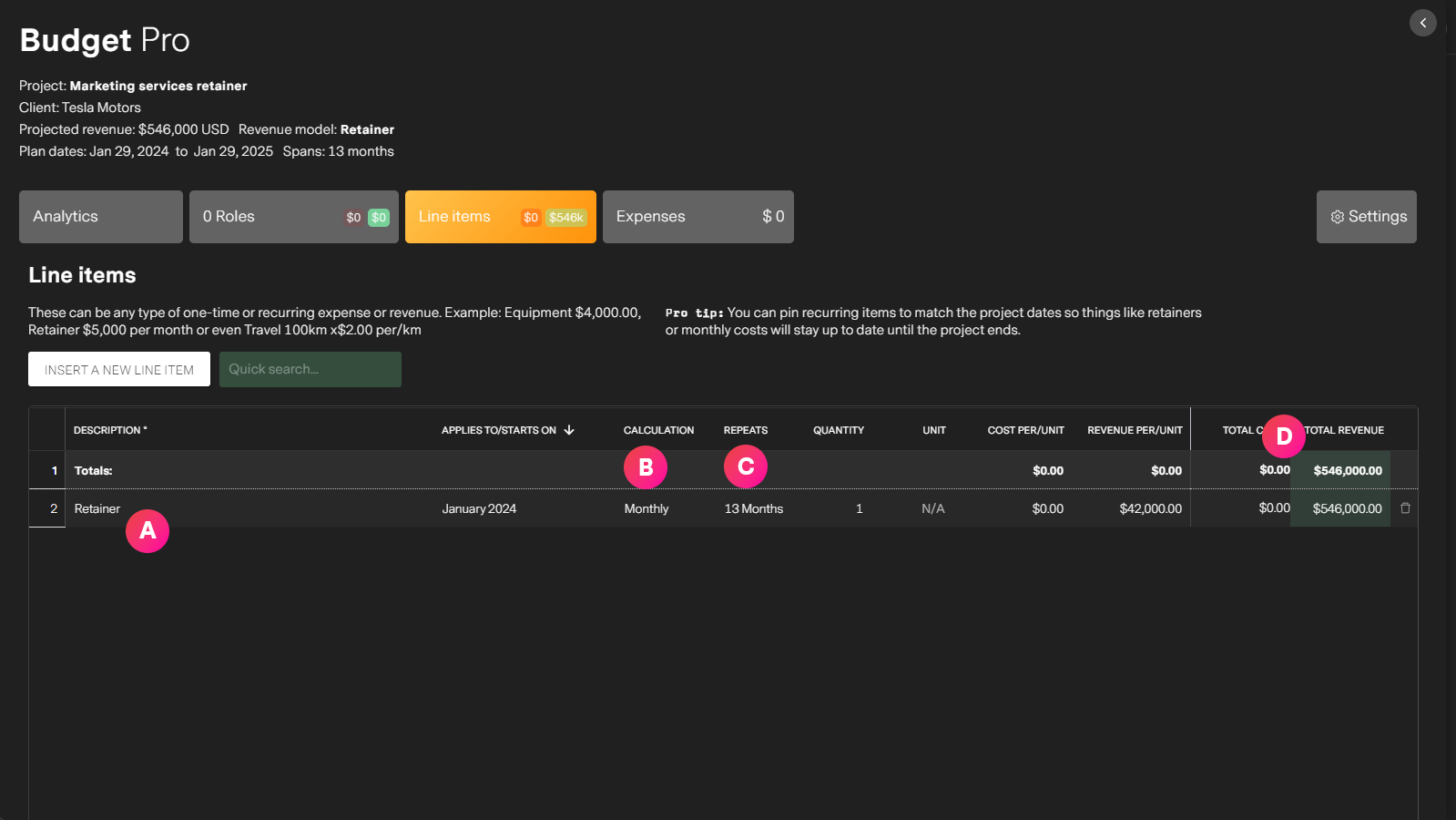
| Label | Feature | Description |
| A | The retainer | You can change the name or even add more if you wish. Examples: Retainer for social media marketing, Retainer for creative work. The amount of retainers per project workspace is up to you. This allows you to have one project workspace for a client. |
| B | Retainer frequency | You can define the frequency of a retainer and the start date from which to start tracking budget calculations. Your budget will reflect the amount x the frequency till the end of the project. The default frequency is monthly. |
| C | Repeats amount | Displays how often the retainer will be calculated for reporting and invoicing. By default a retainer is set to repeat till the end of the project but this can be manually changed to however long you wish. |
| D | Retainer amount | You can change the amount of your retainer by changing the Revenue/Per Unit field. This will automatically update your total budget. If you add a cost amount, missionX can help you understand profitability for this project and at the organization level. |
Fixed-price, one-time retainer
When creating a project make sure you select Time and materials as the revnue model or possibly Fixed-bid depending on your needs.
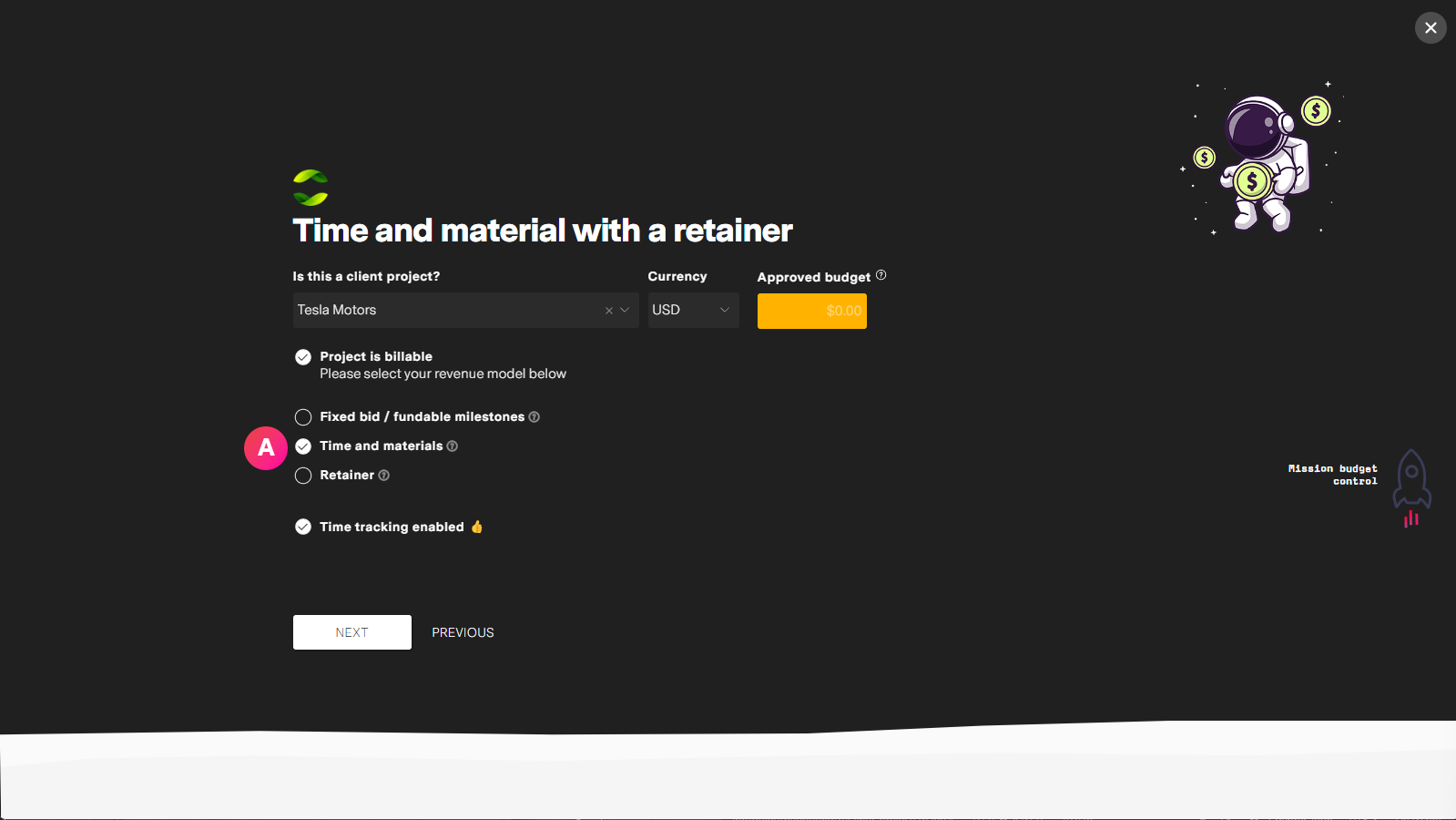
| Label | Feature | Description |
| A | Revenue model | Select the revenue model that makes the most sense for your project. Usually it will be time and materials, meaning you get paid for all work and expenses. |
Adjusting fixed-price retainers
You can manage the retainer from Budget Pro's Line-Items tab
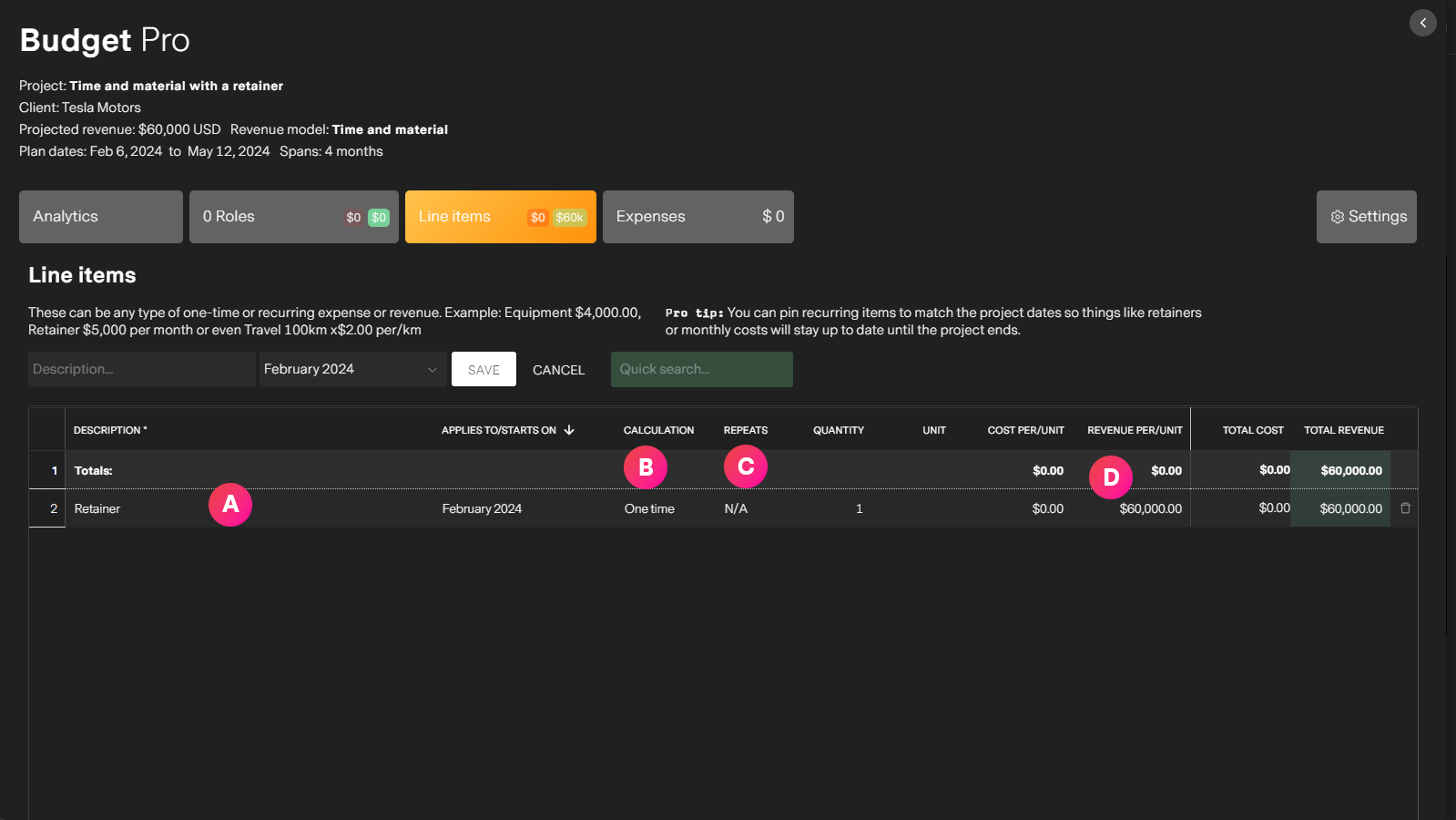
| Label | Feature | Description |
| A | The retainer | You can change the name or even add more if you wish. Examples: Retainer for social media marketing, Retainer for creative work. The amount of retainers per project workspace is up to you. This allows you to have one project workspace for a client. |
| B | Retainer frequency | For fixed price retainers set the frequency to One time and the month the retainer is due. |
| C | Repeats amount | This should only be one month for a one-time retainer. You can create multiple line-items if you need more retainers. |
| D | Retainer amount | You can change the amount of your retainer by changing the Revenue/Per Unit field. This will automatically update your total budget. If you add a cost amount, missionX can help you understand profitability for this project and at the organization level. |