
 Launch
Time tracking in missionX
Time tracking in missionX is effortless for everyone in the organization and is automatically integrated into progress, budget and time reports at the project and organization level.

Working with timesheets
There are two types of timesheets in missionX. Company timesheets and Project timesheets. Every timesheet can be submitted independently or all at once.
Everyone can submit a company timesheet but only people with an active role on a project can submit a project timesheet.
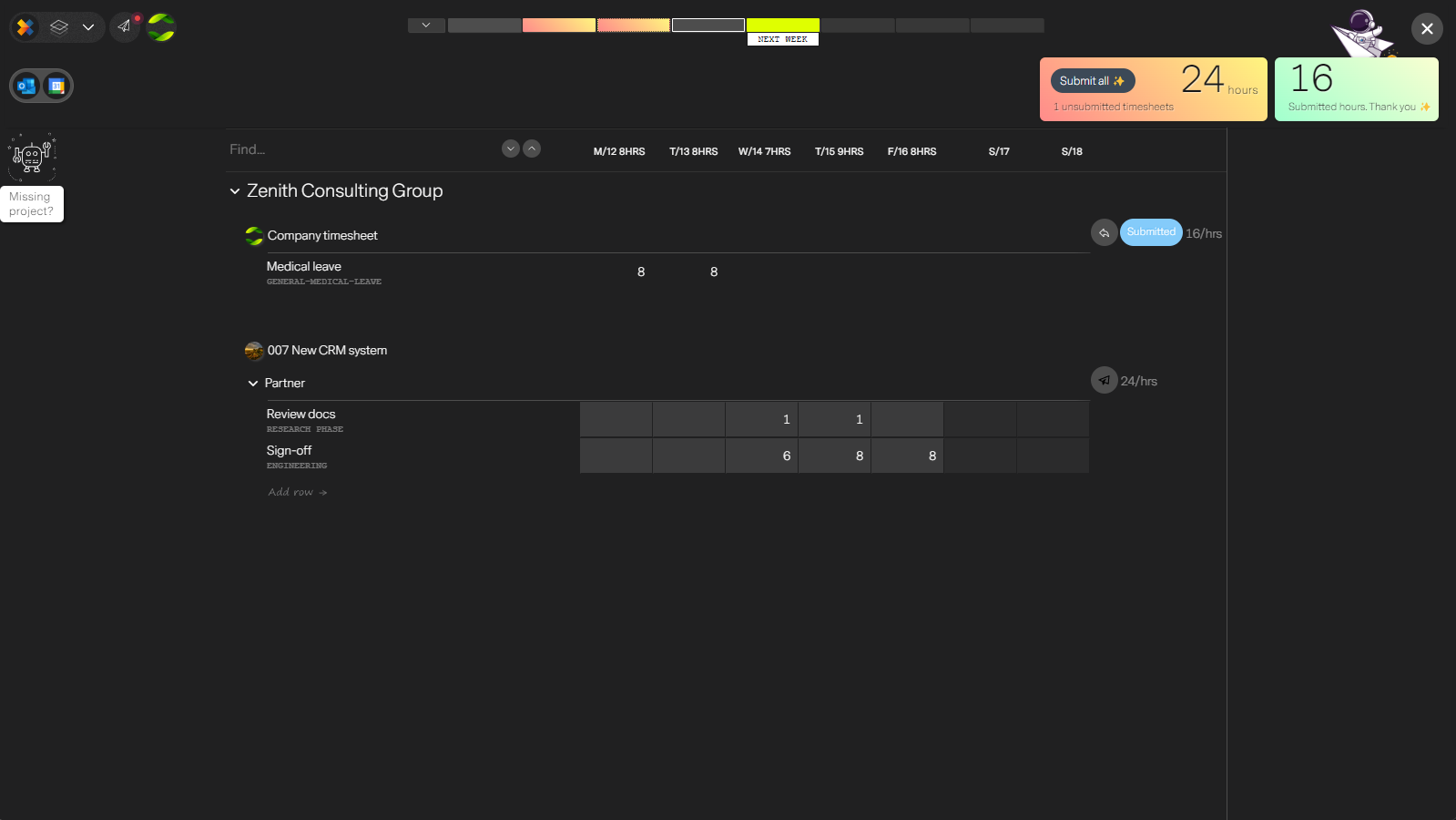
From your personal workspace you can access all your timesheets.
In missionX every organization and every project you belong to will have its own timesheet. This allows you to submit timesheets individually or all at once.
An important and unique feature of missionX timesheets, is that project timesheets are directly linked to a project role. This allows you to control who can submit timesheets against a project and when.
Since each person's role corresponds to a unique timesheet, it means that a person can have multiple roles on a project and the project manager will still have automated and accurate reporting to track internal costs and billable time.
Next step
Setup your organization's timesheet rules. Setup time tracking