
 Launch
Approving leave requests
There are two process flows for approving leaves depending on the type of leave requested.
Project manager approval flow
Project managers affected by ceratain types of leave requests will get to vote whether to approve or reject before final approval is granted.
Direct to "HR" for approval flow
Certain types of time inflexible leaves like bereavement or medical reasons, will go directly for final approval by designated approvers and the project managers are simply notified.
Data-driven approval processes
No matter what type of leave it is missionX will help facilitate the approval process of leaves by providing clarity and transparency to all stakeholders involved. The goal being to reduce risk, get leaves approved quickly and effieciently and avoid disappointments.
Process for approving period flexible leaves
The type of leave that is considered "flexible" is defined wbased on how you want project managers to be involved. You need to set the drop down to "requested" when setting up leave codes.
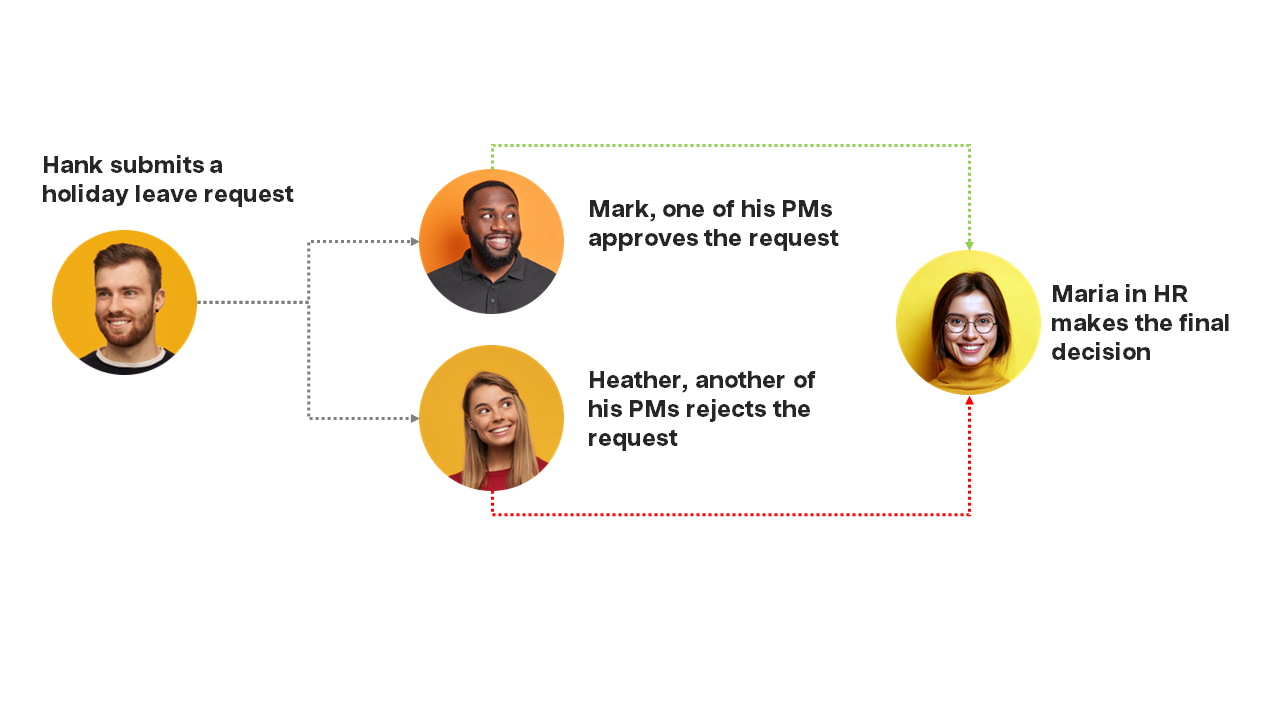
Process for approving period inflexible leaves
The type of leave that is considered "inflexible" is defined wbased on how you want project managers to be involved. You need to set the drop down to "notified" when setting up leave codes.
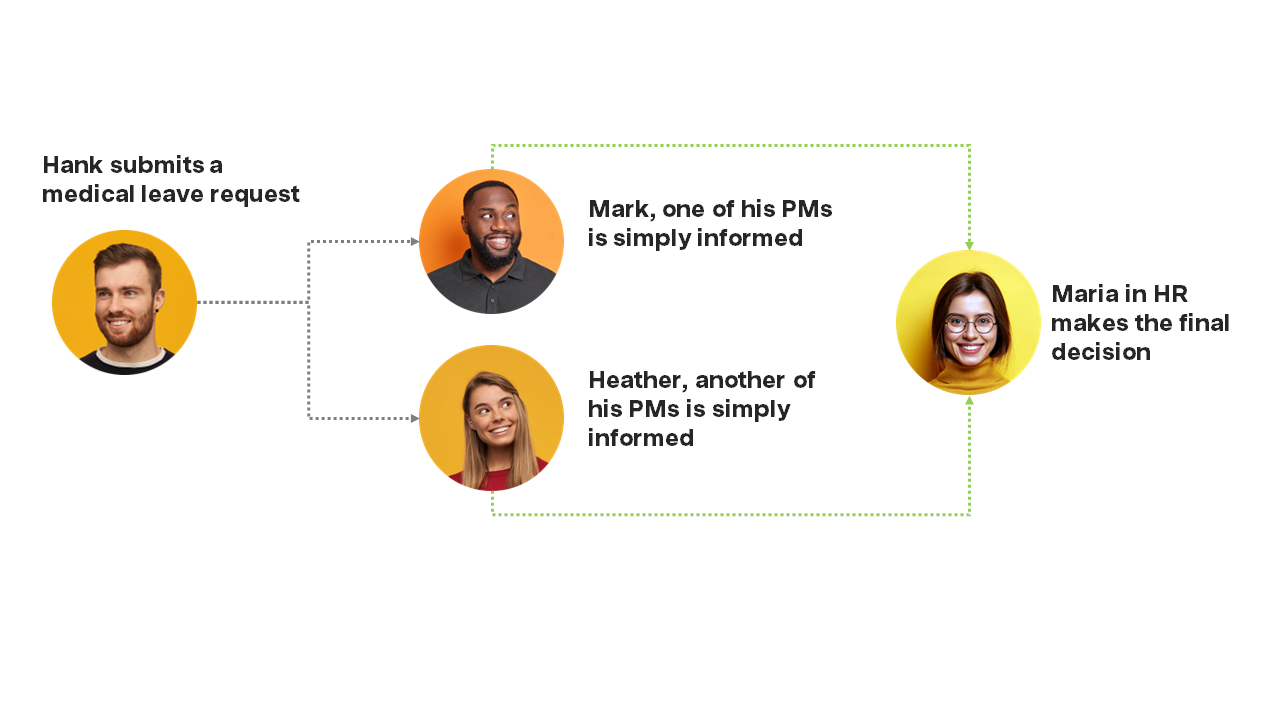
Project managers
Project managers can approve and view leave requests through notifications on their Personal workspace or the Project manager's workspace
From the Personal workspace
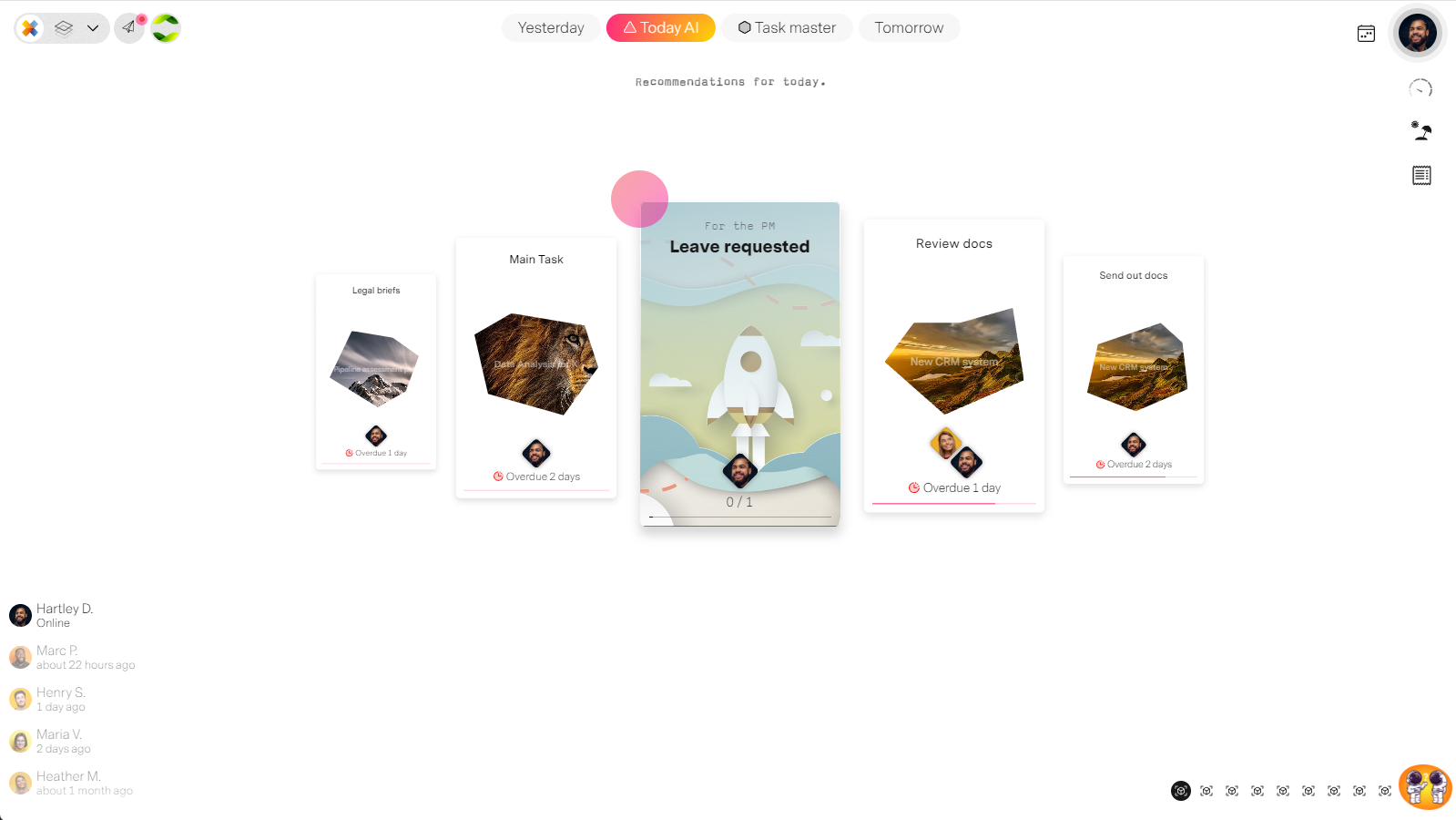
Notofication task that one of the project manager's team is requesting a leave.
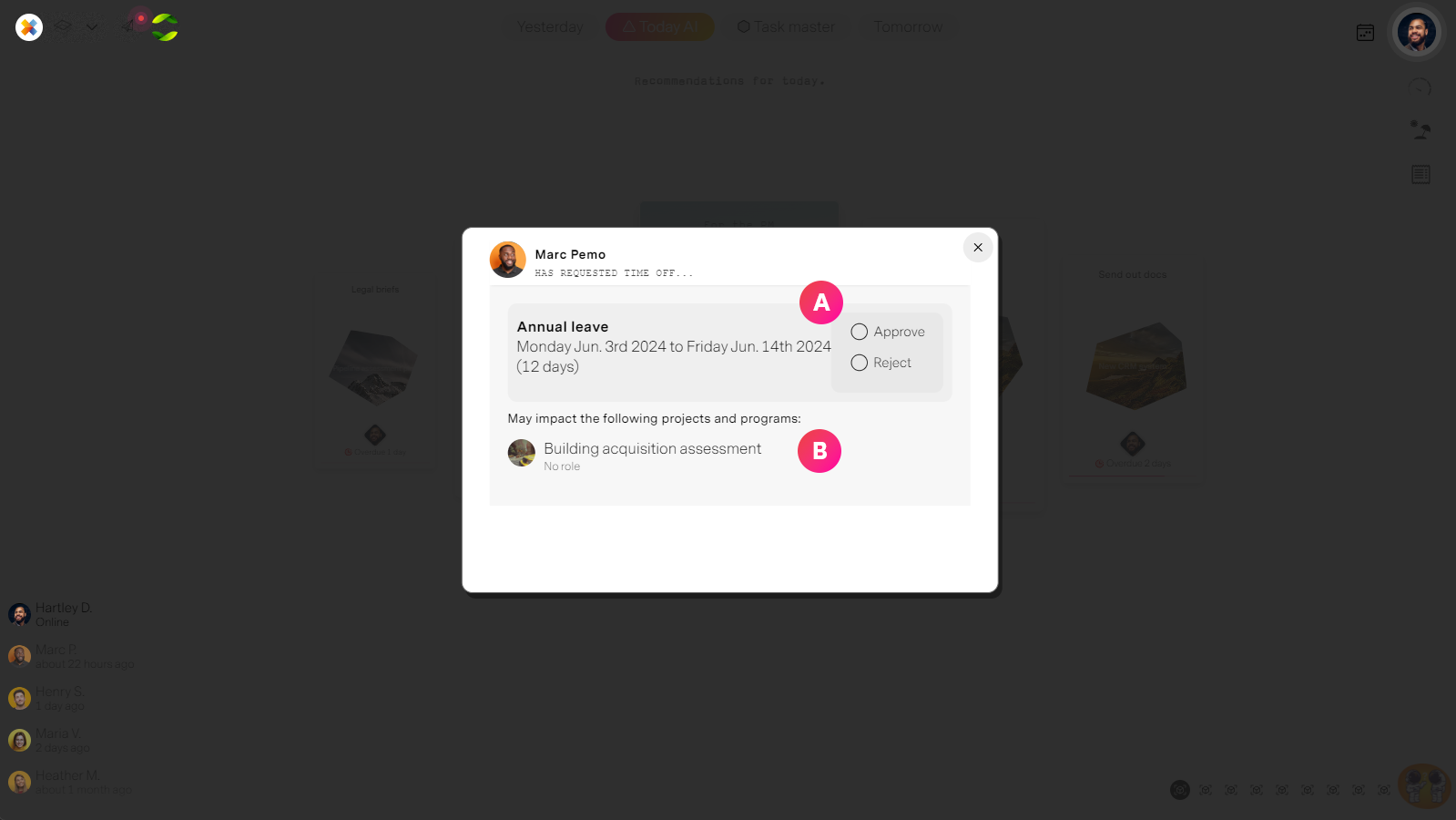
| Label | Feature | Description |
| A | Notifcation task details | Once a task is opened the PM can view the details of all leaves requested, by whom and when. They can then approve or reject the leaves. |
| B | Impact to projects | The PM can see what projects are impacted and what the affect might be in terms of risk to the project. |
From the Project manager's workspace
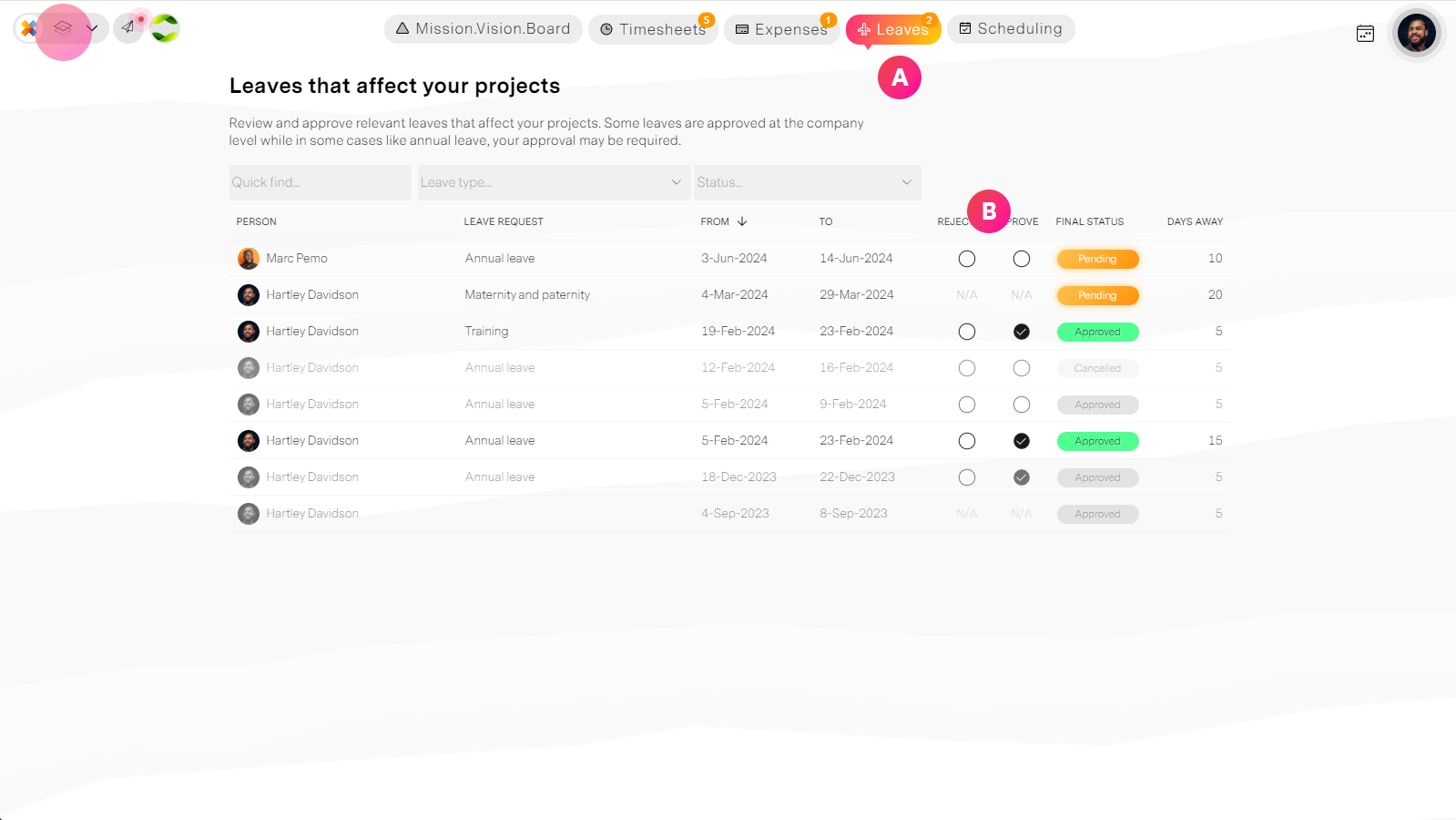
| Label | Feature | Description |
| A | Leaves tab | The leaves tab in the workspace shows you all the leaves that are affecting your projects. |
| B | Approve or reject leaves | The PM can vote to approve or reject a leave and their response is shown to the final authorized approver at the organization level. |
Organization managers
People with the enhanced permission of "Can final approve or reject leave requests" are able to oversee all requests across the organization or by department.
This is the final approval step in the process.
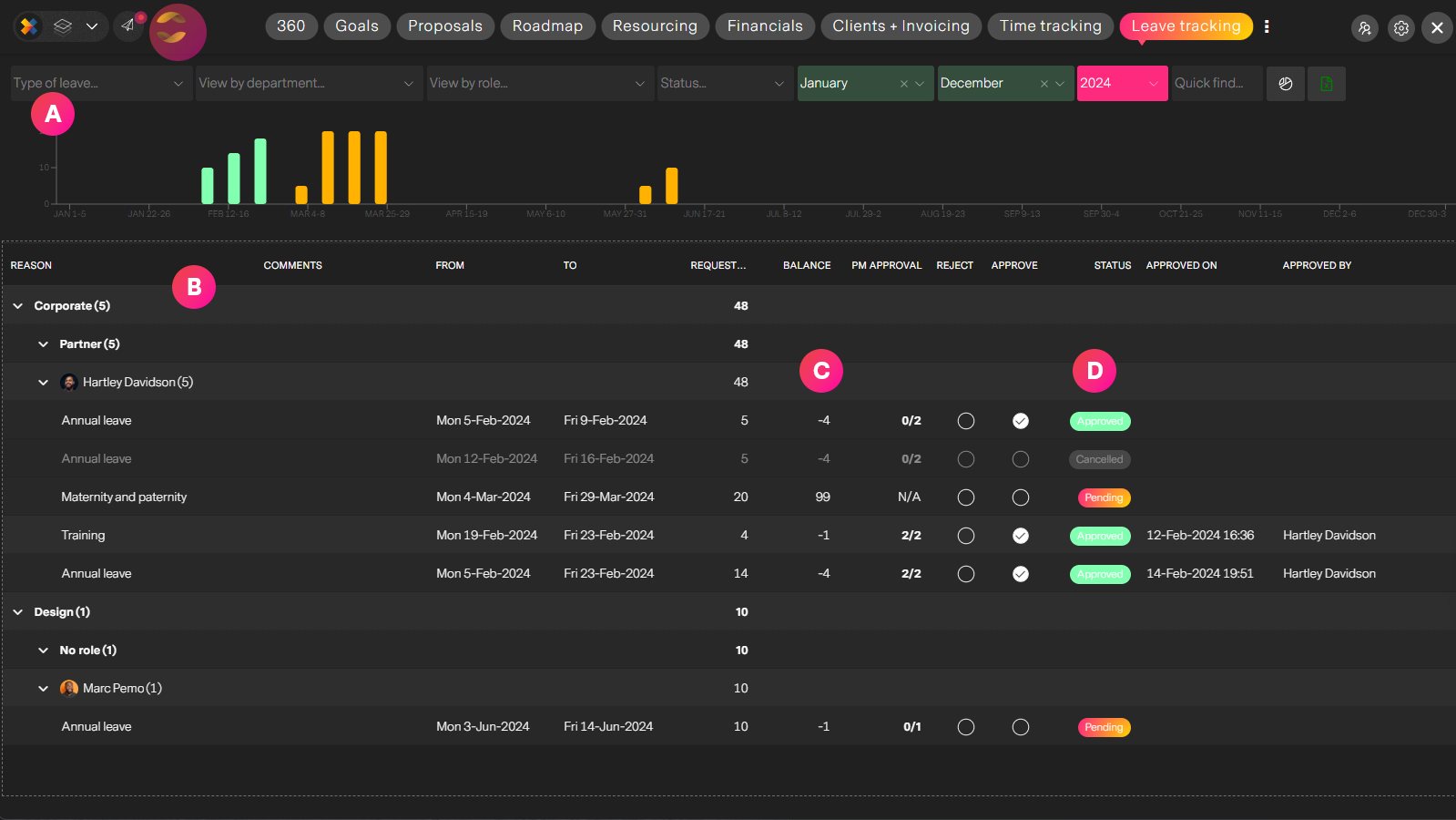
| Label | Feature | Description |
| A | Leave reports | You can slice-and-dice reporting data to answer questions like, How many Analysts are taking vacation in June? How many peopple in these departments too training? etc etc You can filter and refine your data-set based on roles, departments, leave statuses and period. |
| B | Leave requests | Leaves organized by department, role and person. You can use the filters above to narrow and refine your view as you need it. |
| C | Leave balances | Before approving a leave, you can see the person's remaining balance if the leave is taken. missionX does not restrict how much leave a person can ask for, so it is up to the approver to make sure they are approving within available days. |
Summary
Managing leaves in missionX is easy, powerful and one less thing you need to worry about or pay for.