
 Launch
Navigating the platform
Teleporting within the platform is extremly easy and most importantly lightning-fast.

A new hope
Because this is not your slow, cumbersome, 2007s navigation system that most other project management apps use, it may be a good idea to take a minute and familiarize yourself with the missionX environment. Or, dive right in, it's super easy.
Interconnected WORKSPACES
Workspaces are tailored, fit-for-purpose sections of the platform designed to maximize productivity depending on a person's role and job function.
There are four (4) main workspace layers in missionX. This means you can jump to anywhere in the entire application at warp-speed without those frustrating page refreshes every time you click on something. Navigation is simple, keep reading below...

Navigating between workspaces
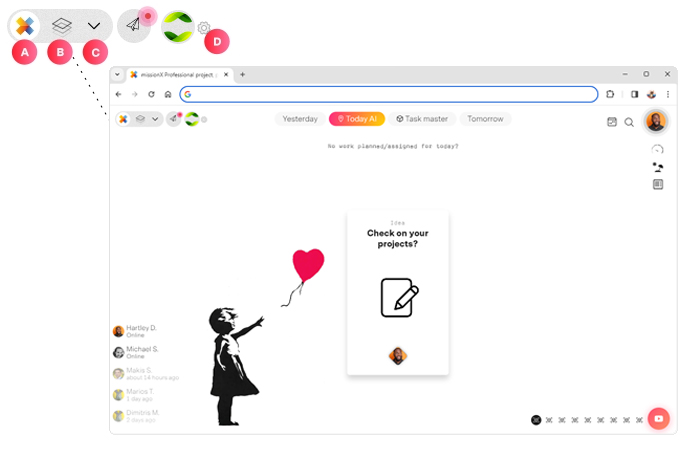
| Point | Description |
| A | Home / Individual workspace This will always bring you to your personal workspace where you can manage your daily tasks and admin work like timesheets and expenses |
| B | Mission. Vision. Board Still a personal workspace but for managing projects. As a project or program manager you can oversee all your projects, timesheets, expenses, leaves and resources from one workspace. |
| C | Open your Control panel Expanding your Control panel allows you to view and access project workspaces (Further down ) |
| D | Quick jump to your Organization workspace If you have access to an Organization workspace than you can jump to it from here. If you have access to multiple Organizations you can set the default workspace. |
Your missionX Control panel
Expand to see all your current and active project workspaces. Active projects, proposals and even templates can be quickly accessed from here.
Your expanded Control panel...
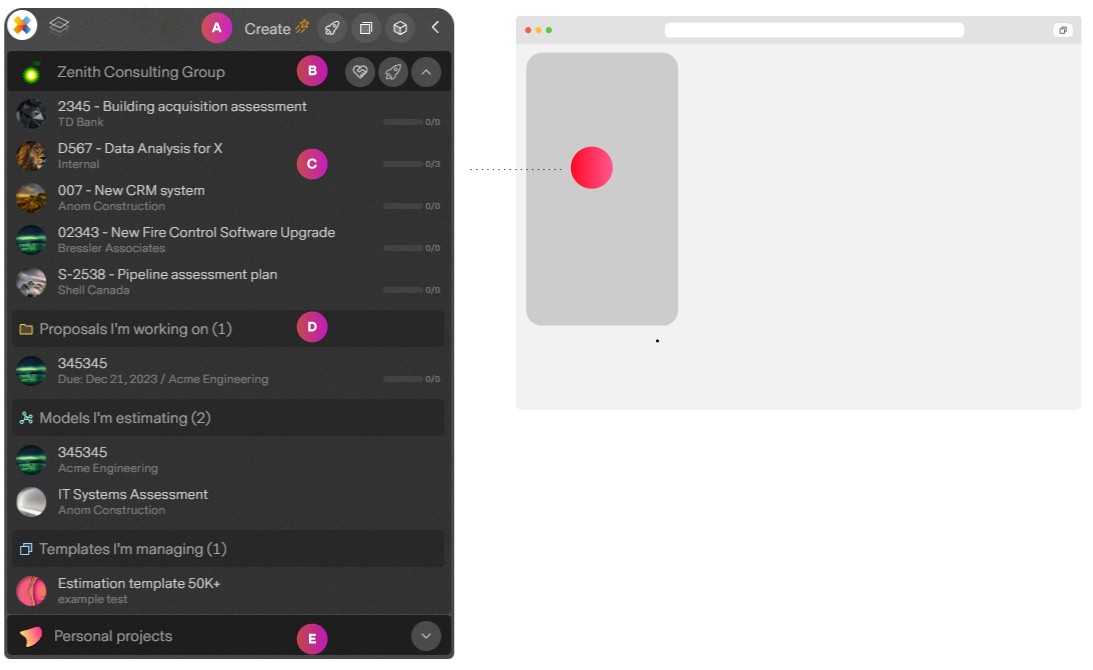
| Point | Description |
| A | Quick actions Create something great. A project, a template or start your own missionX organization from anywhere in the application |
| B | Organization header You can have as many organizations in missionX as you wish. The header wraps your organization projects and allows you to expand and collapse the organization. If you have permissions you can also:
|
| C | Your projects Links to the project workspaces you are currently working on. Not to be confused with every project in the organization... there's a space for that :) |
| D | Other workspaces Besides projects you can view and navigate to Proposals, Estimation models and even Templates you are working on. |
| E | Personal missions These are optional projects just for you and whoever you invite. They are not part of an organization and can be used for anything from renovating a kitchen to keeping track of school work. on. |
Navigating within workspaces
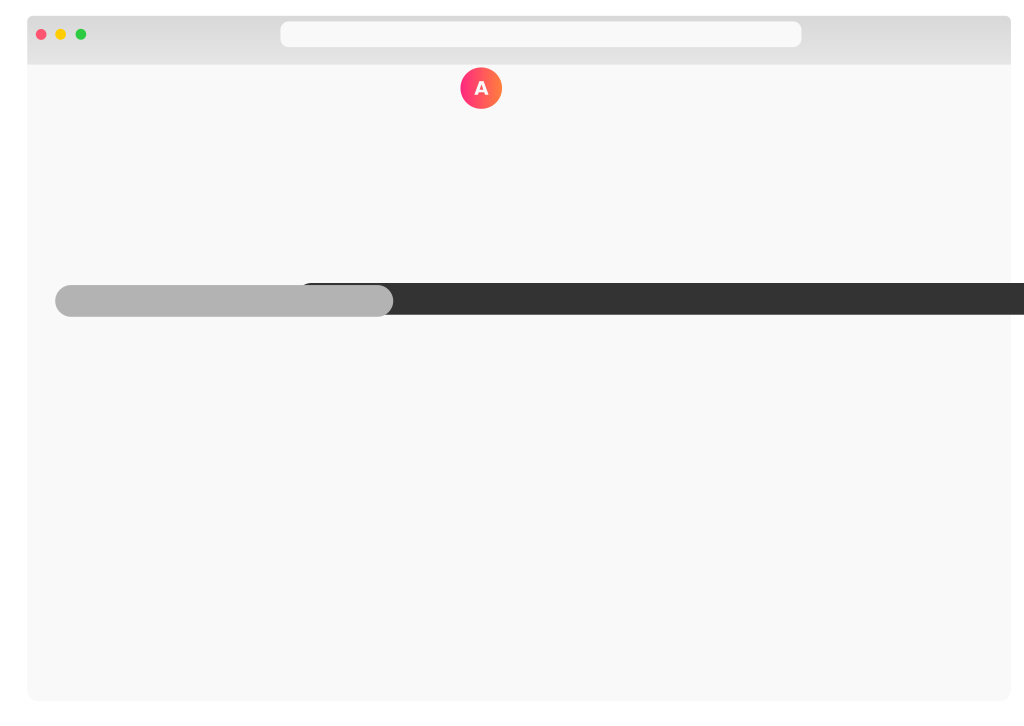
This couldn't be simpler. Use the tabs at the top of every workspace to negotiate the sections.
Next steps
Now that you understand how to teleport in missionX let's explore workspaces in detail.