
 Launch
Controlling time tracking at the project level
You can control who can and when they can submit timesheets at the project level or each person individually.

Project level timesheet control
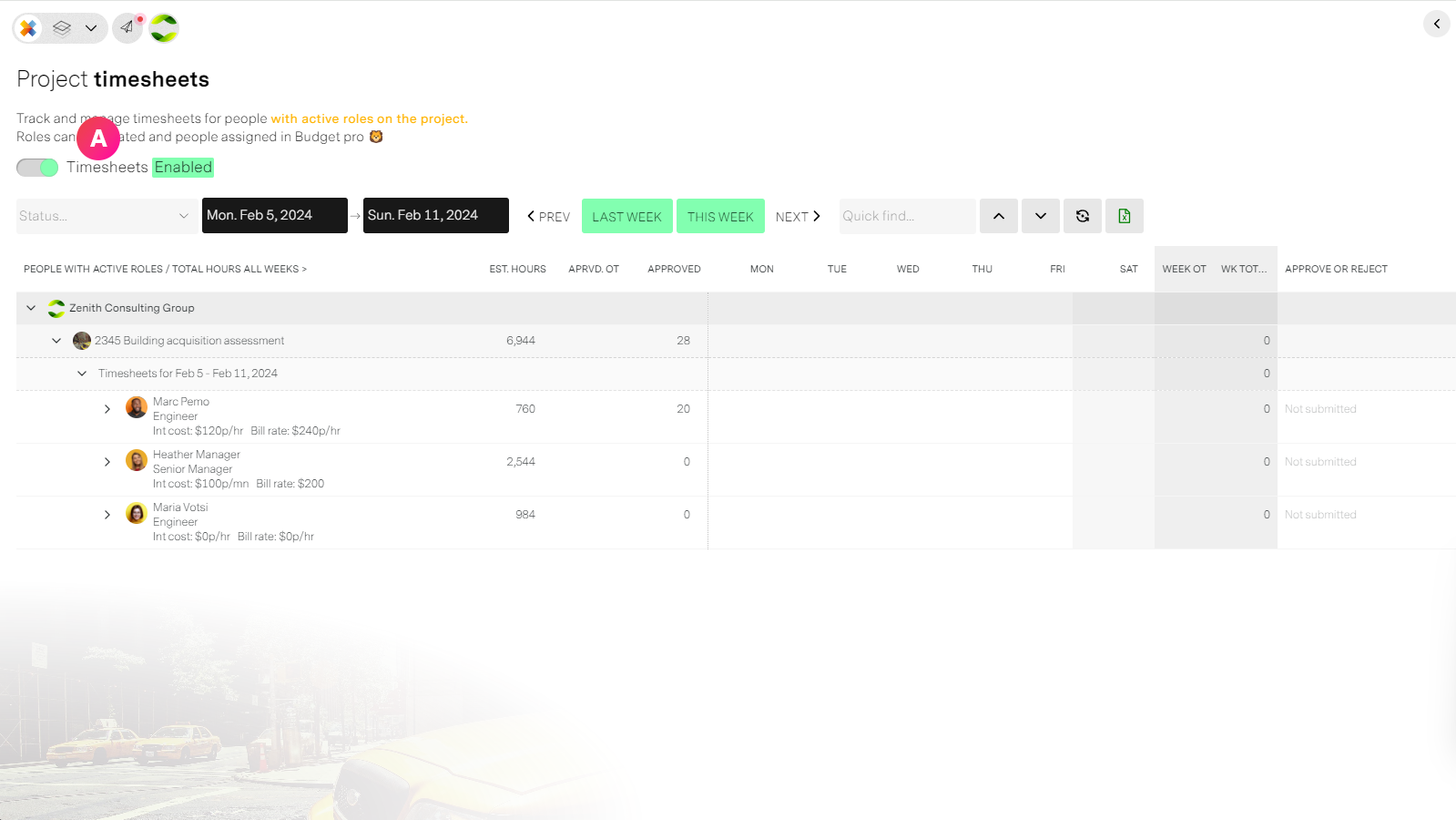
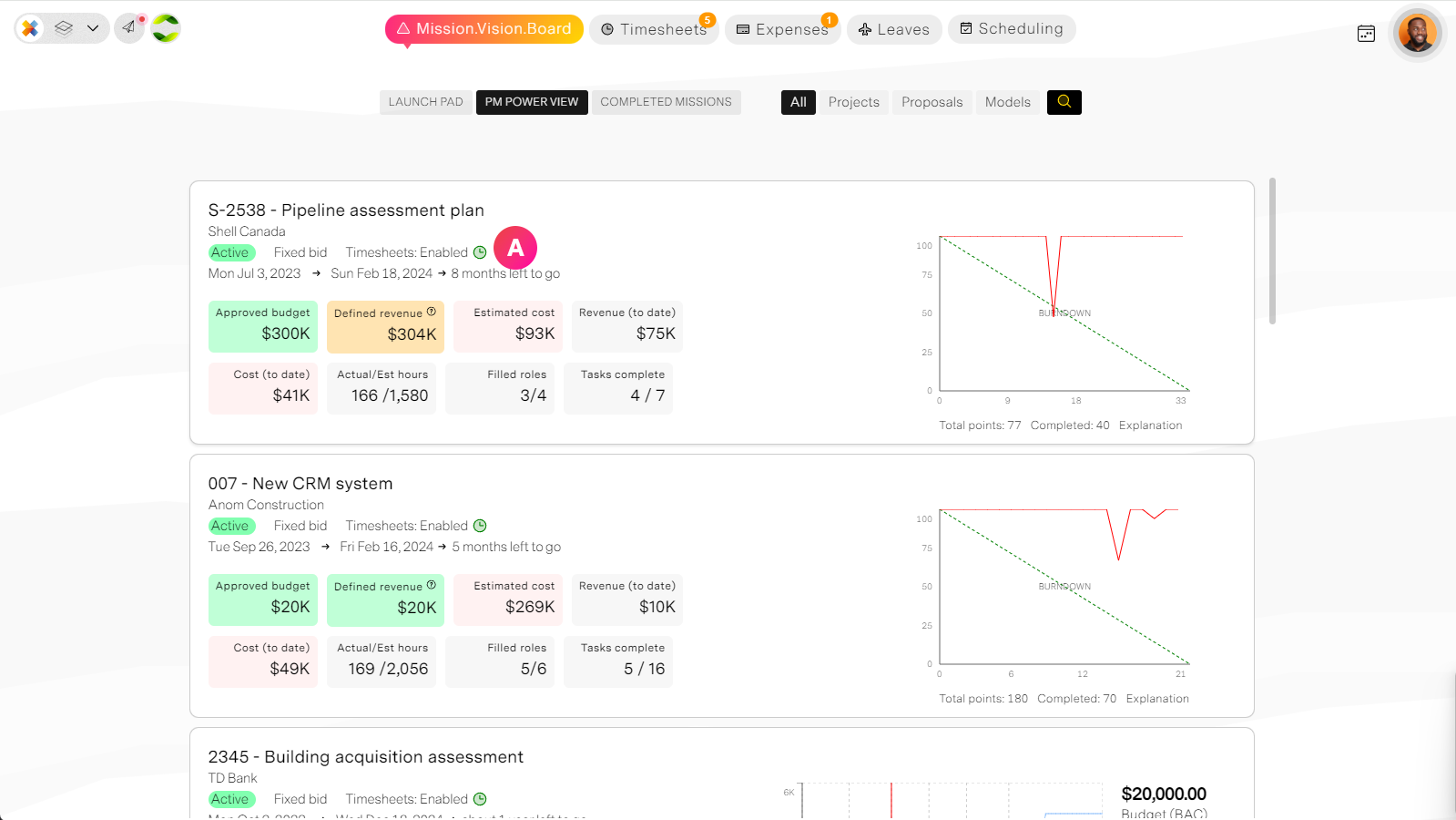
Enable or disable timesheets for the entire project. Nobody with a role on the project will be able to submit if tiomesheets are disabled until they are enabled.
From the project's timesheet tab
From the Project manager's workspace
Role level timesheet control
If you need more control over who can submit timesheets on a project and when then you need to manage at the role level.
Remember: for people to be able to submit a timesheet, they must be on a project role. The person can only submit time for weeks that overlap the role dates.
Knowing this now we can control people's entry by adjusting the roles dates. missionX will handle this automatically for you.
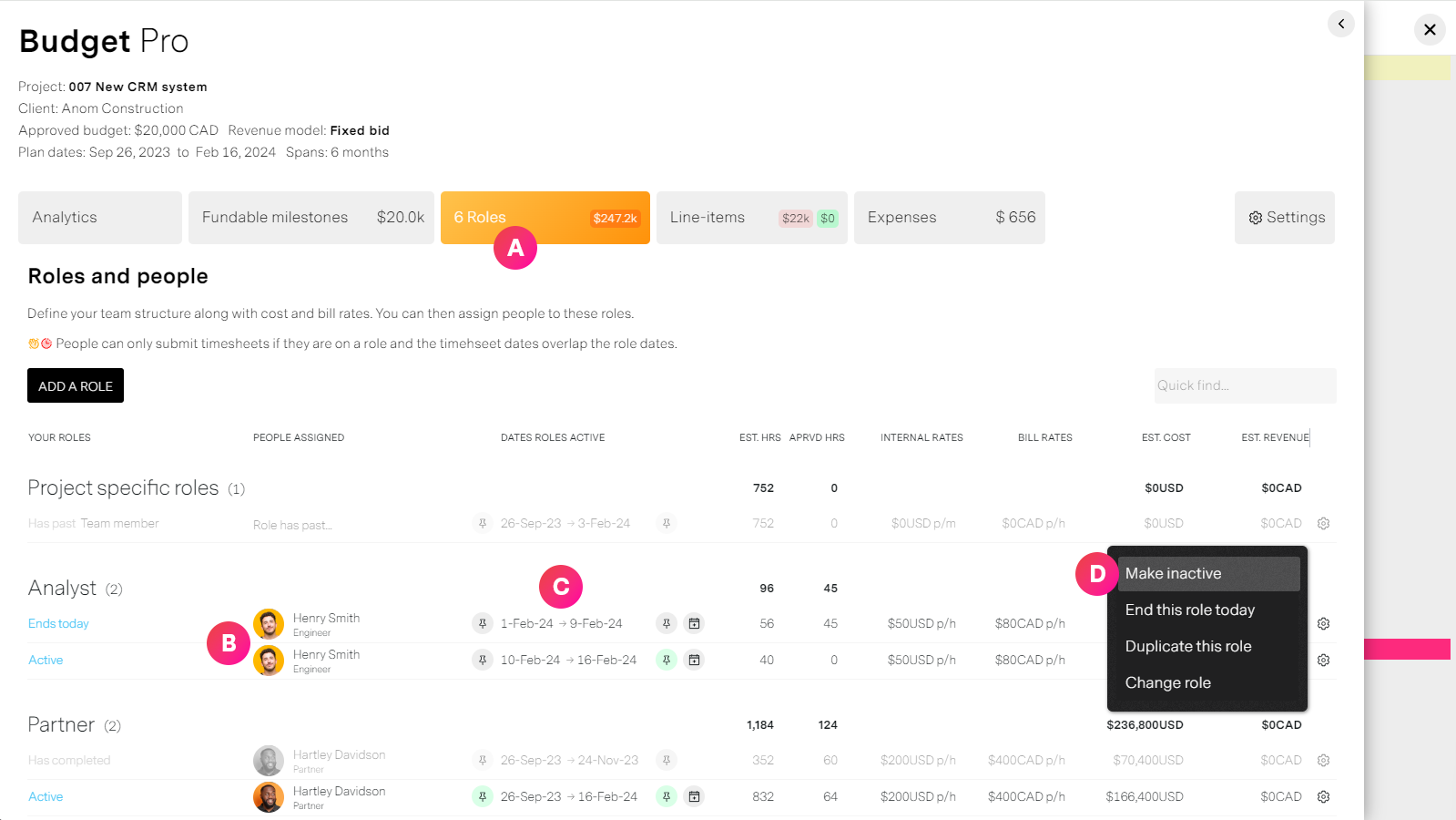
| Label | Feature | Description |
| A | Budegt pro: Roles | From Budget pro's Roles tab you can manage project roles |
| B | People's roles | A person can have multiple roles on the project. Each role will have, among other things, a start and end date. |
| C | Role dates | The role dates define the period(s) this person can submit timesheets for this project. Scenario: Peter is an analyst on the project but we only need him at the beginning of the project for 1 week, and at the end for 2 weeks. We could then split his role and adjust the dates accordingly. |
| D | Make inactive | If for whatever reason you want to pause a person's ability to submit timesheets, you can make the role inactive. This will not change anything but it allows you to put a pause for however long you want. |