
 Launch
Approving expenses
Approving expenses can be done at the project level by the project mananager and at the organization level by an admin.
The organization admin can do anything the project manager can plus set the status to "paid". This will then allow people to track their expenses and budget.
Project manager approvals
Track and approve expenses for all your projects from the Project manager's workspace
Once a project manager approves an expense it will become ready for automatic invoicing. Until then it will appear available for invoicing, but not approved yet.
You can also track and view expense reports from Budget pro
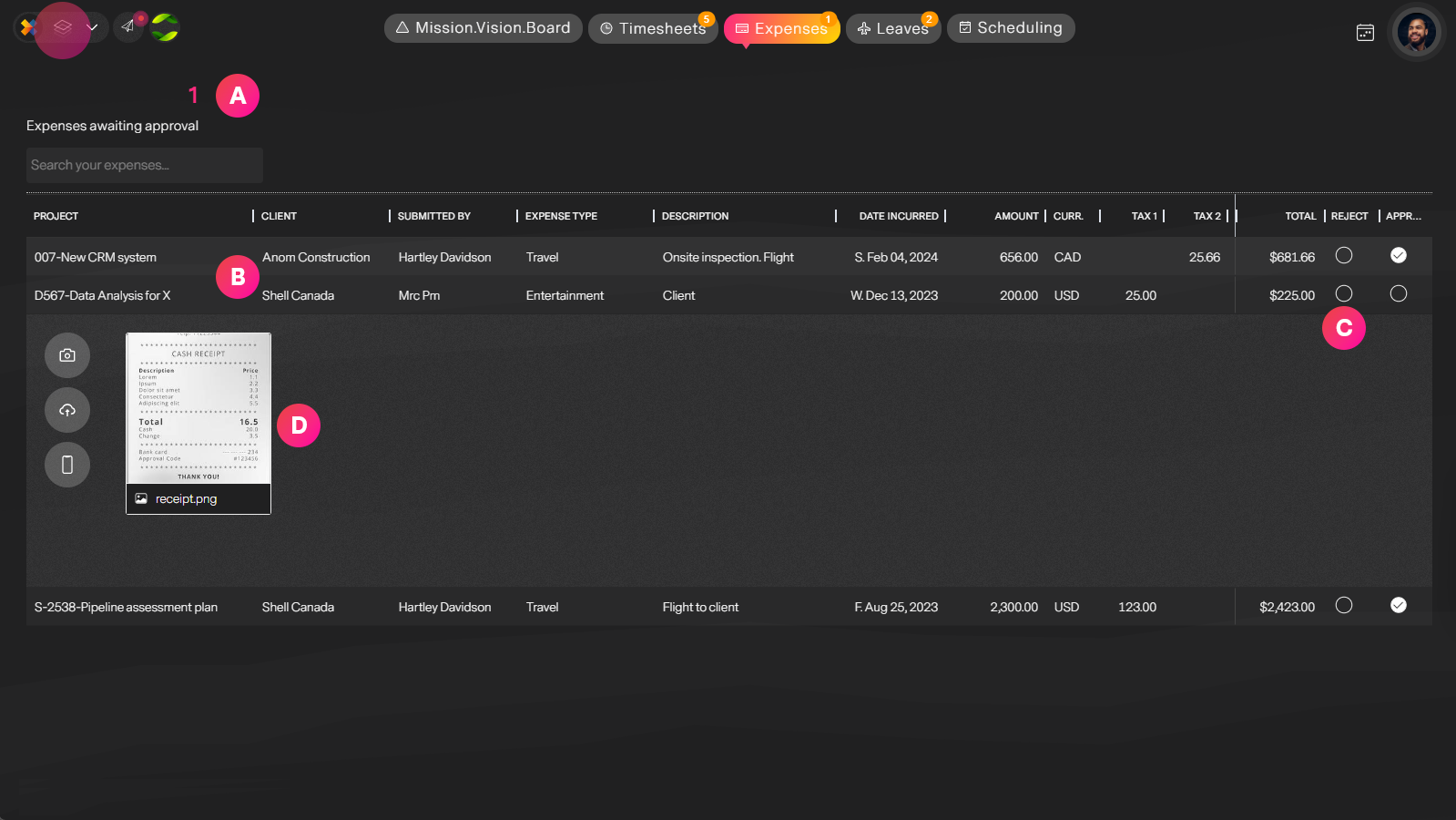
| Label | Feature | Description |
| A | Awaiting approval | The number of expenses awaiting approval. Ideally you want to keep this at 0. |
| B | Expesne details | Information submitted, desctiption, code, amount, taxes tips, who submitted it and when. |
| C | Approve/Reject | Approve or reject an expense with comments |
| D | Receipts | View attached receipts and invoices. |
Organization approvals
Organization Admins and members with the enhanced permission "Can final approve or reject expenses"
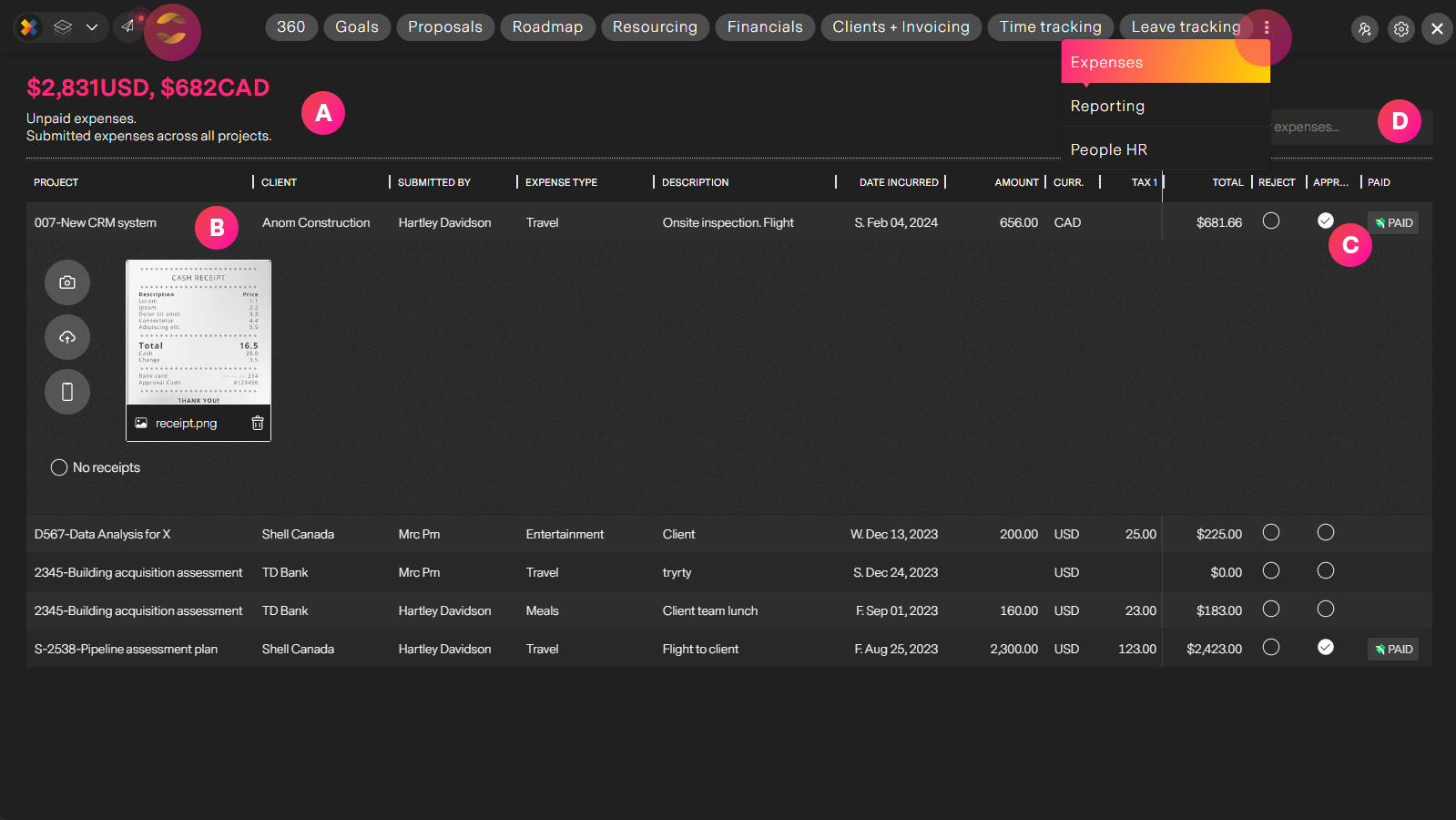
| Label | Feature | Description |
| A | Unpaid amounts | Track the amount of expenses by currency that are still unpaid. Ideally this should be kept at zero. |
| B | Expense details | The list of expenses and information along with receipts. |
| C | Expense status | View and override Approved or Rejected status and alos set "Approved" expenses to paid once they have been accepted. |
| D | Search | You can search expenses by client, project, person, type etc... |
Next
Invoicing expenses, see how missionX makes invoicing expenses and automatically including receipts to invoices effortless.