
 Launch
Introduction to WORKSPACES
Layered, seamless information and collaboration superhighways. Information can flow up and down at lighting-speed in real-time.
Depending on your access levels, you can travel from an Organization workspace, to Project workspaces, your Personal workspace and back again as fast as you can click.
Work on tasks, submit timesheets and expenses from your personal workspace, then jump to your organization workspace and analyze everything from financials to roadmaps, KPIs and even resources. Welcome to a next-generation system.
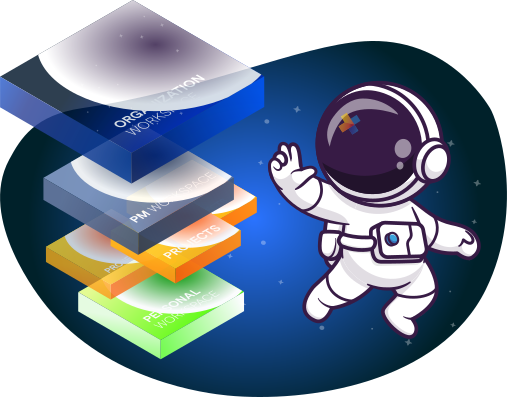
The Organization workspace
This space is for Senior management, program managers and company administrators like HR and Accounting. Basically people that need to oversee company activities at a higher level like the CEO, a VP or Director, and then people who need to approve leaves, timesheets or submit invoices.
Although you could be on as many organizations as you wish, each organization can only have ONE workspace. This is where all your project and people data bubbles up and transforms into real-time insights and reports.
Workspace tour
Comes in dark or light mode, you decide.
- 360 insights
- Strategic goals
- Proposals
- Real-time roadmap
- Resource management
- Clients and Invoicing
- Timesheet management
- Expense management
- Leave management
- Reporting
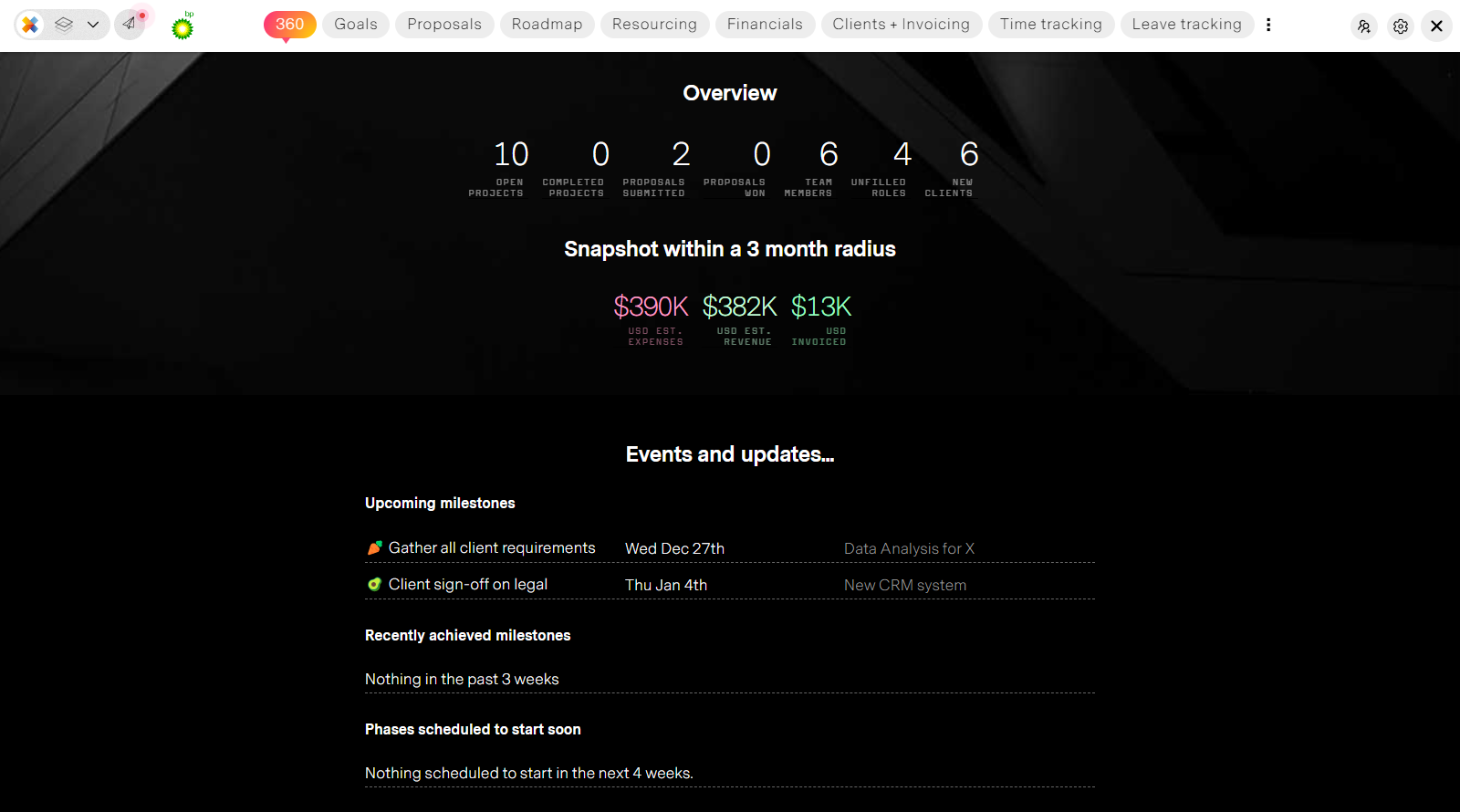
360 insights
Your phases, tasks, budget, process, hours, timesheets, OT, Progress, milestones, and dependencies all-in-one.
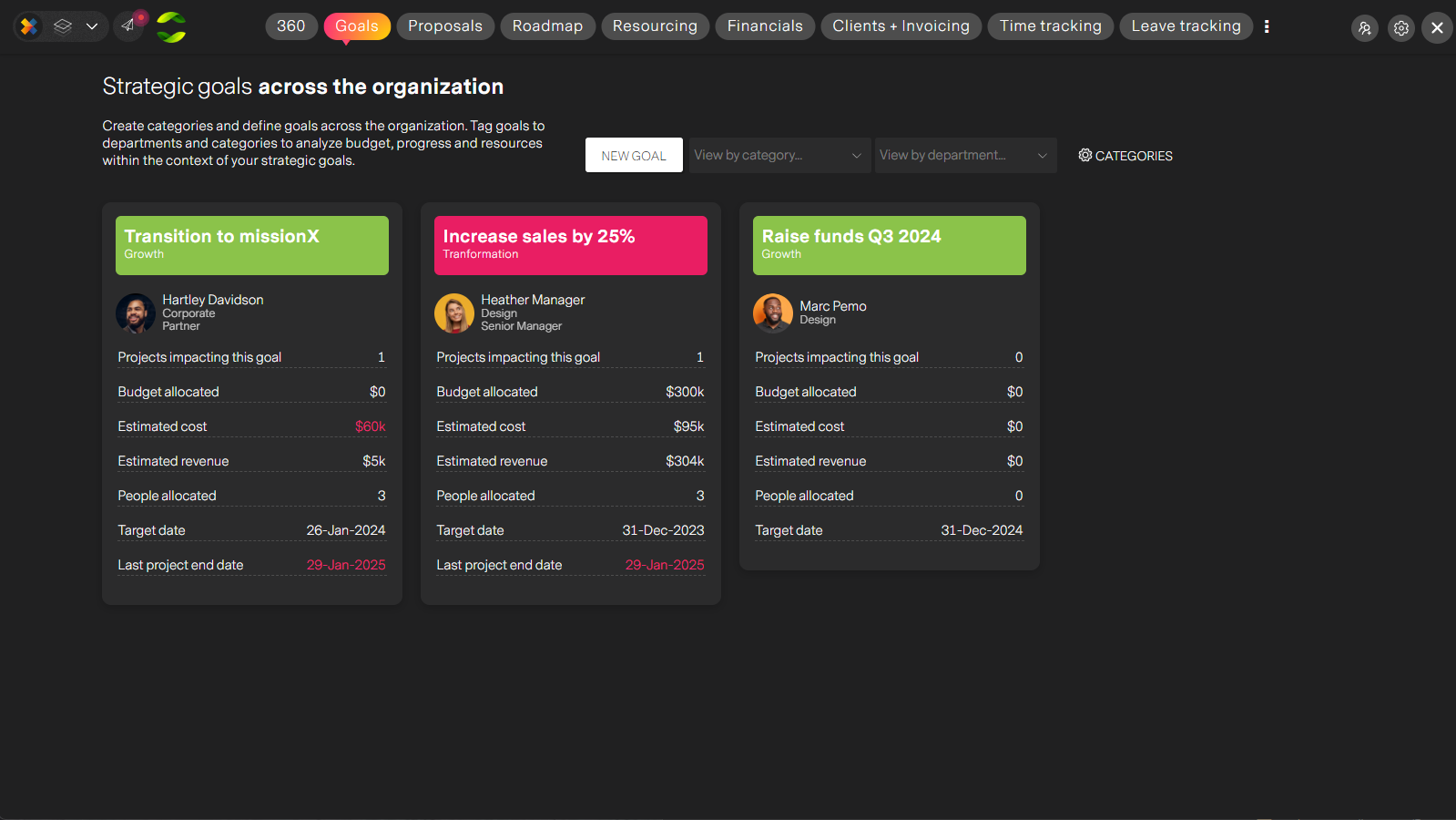
Strategic goals
View your organization's' data through the lens of strategic goals. Who's working on this goal? How much are we spending? ANy issues? A whole new way to organize and convey meaning though data for executives
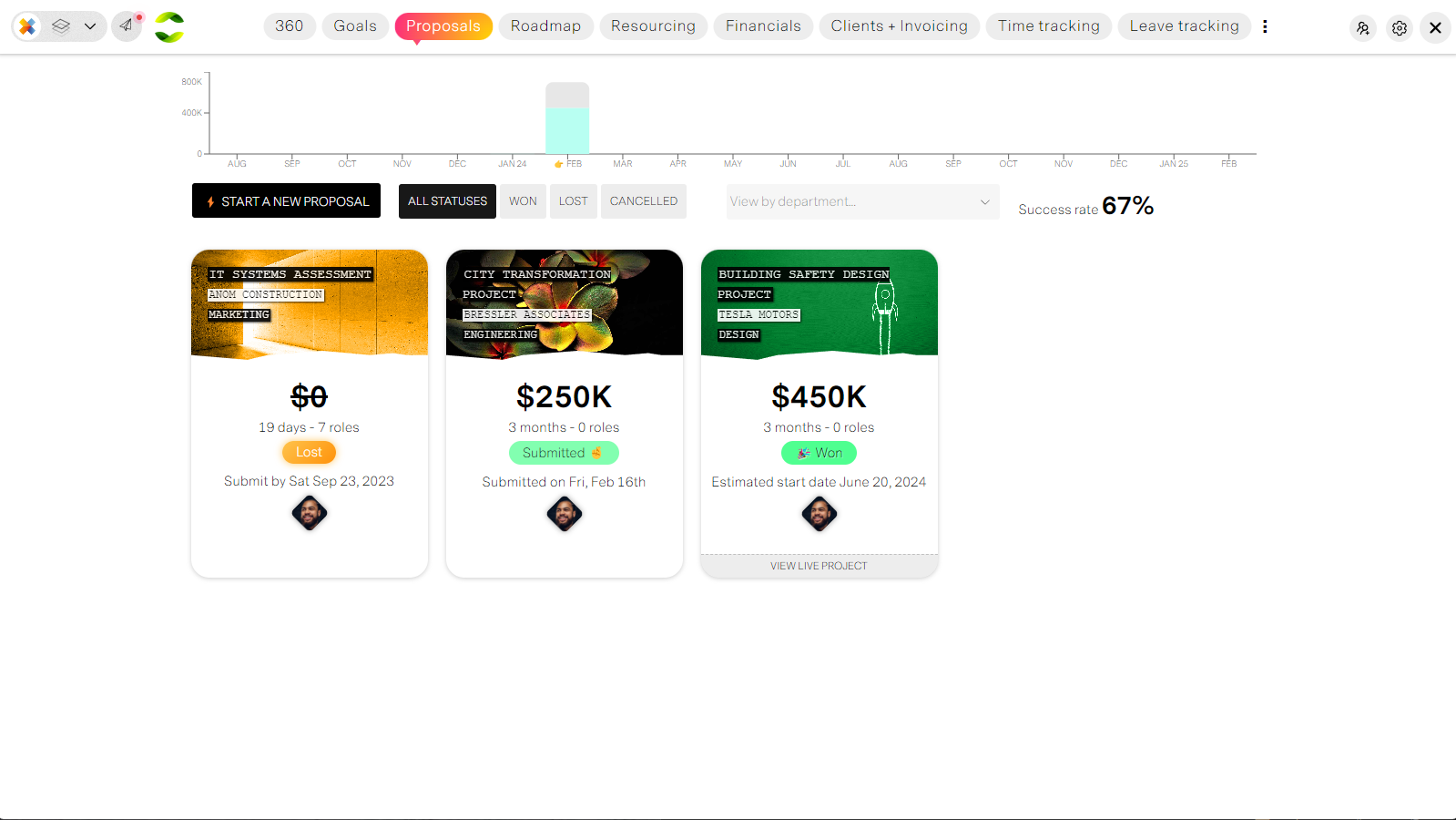
Proposals
Optional; for customer focused companies that need to track success rates, cost and effort that goes into proposal work but more importantly estimating and budgeting profitable work while forcecasting resource demand.
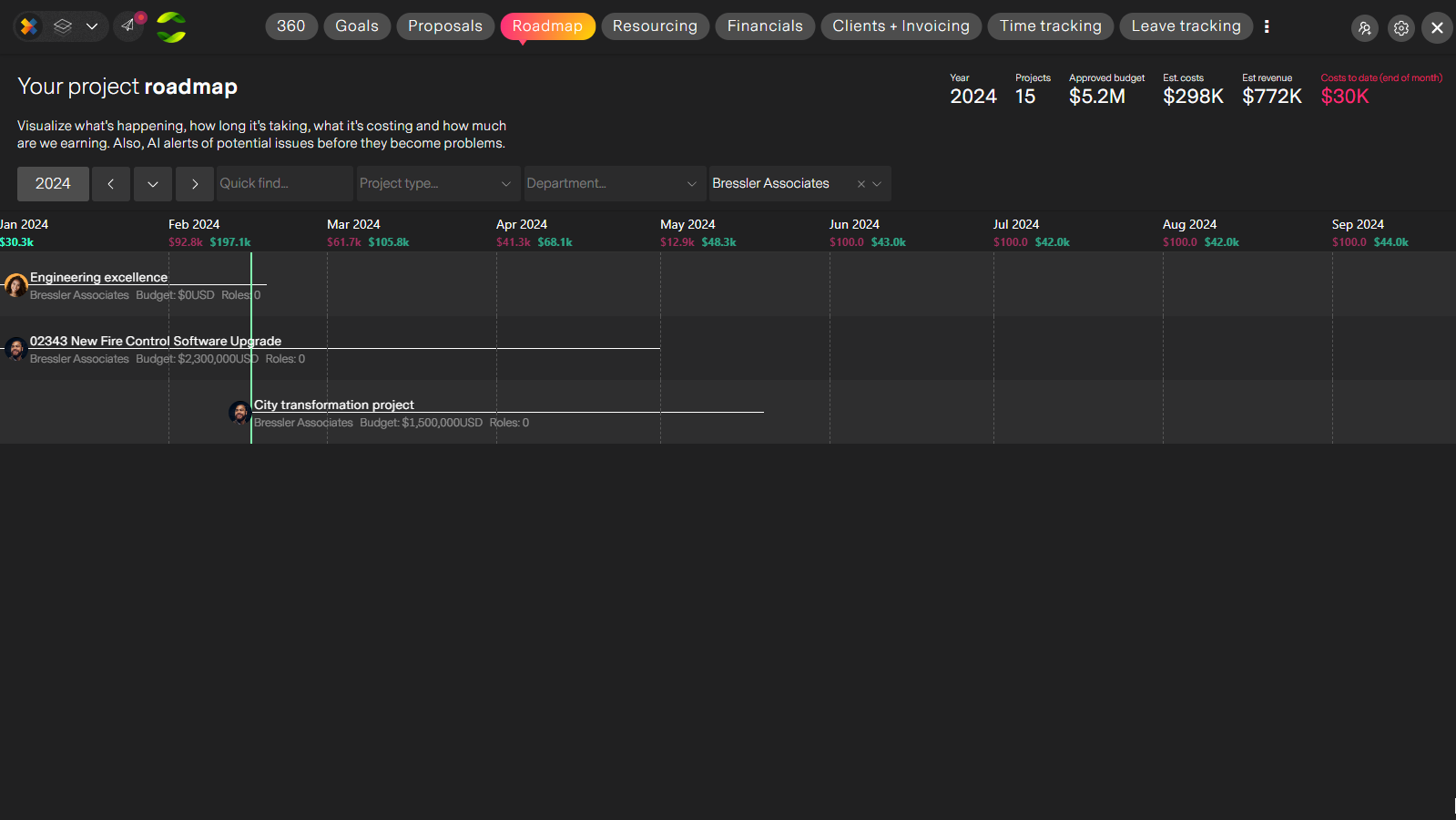
Real-time roadmap
Data insights normalized across all your projects. What are we working on? How much are we spending and taking in? Are there any issues with delays, budget or resources we need to be aware about. Now you can focusattention directly on potential issues on-demand.
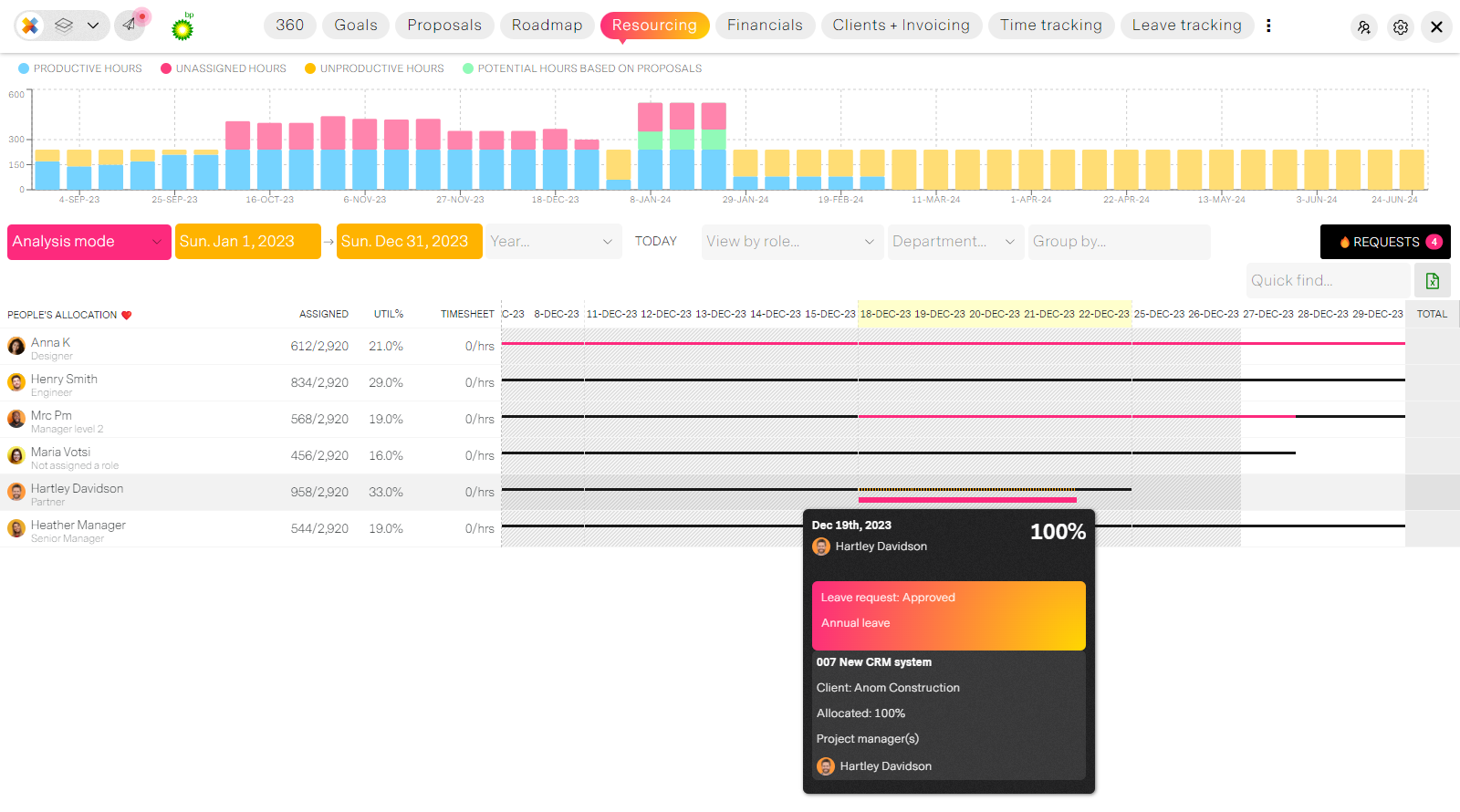
Resource management
Advanced resource management made simple by AI for any size organization. Analyze role supply and demand, leave and allocation conflicts and assign the best people to project roles in seconds.
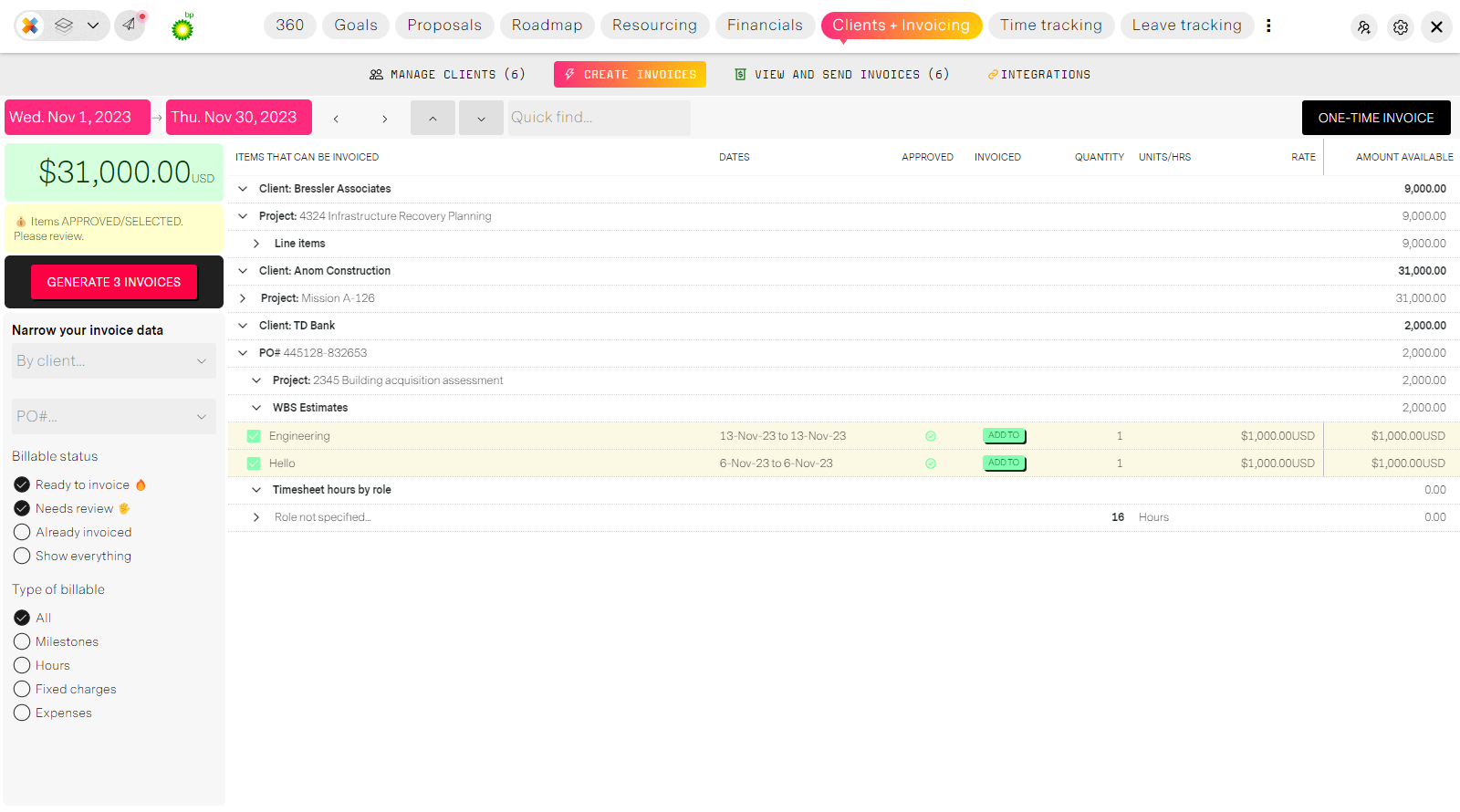
Clients and Invoicing
Enterprise grade client and invoice management that is extremely simple and mostly automated. Create invoices directly from project data so no more back-and-forth emails, calls and chasing down spreadsheets.
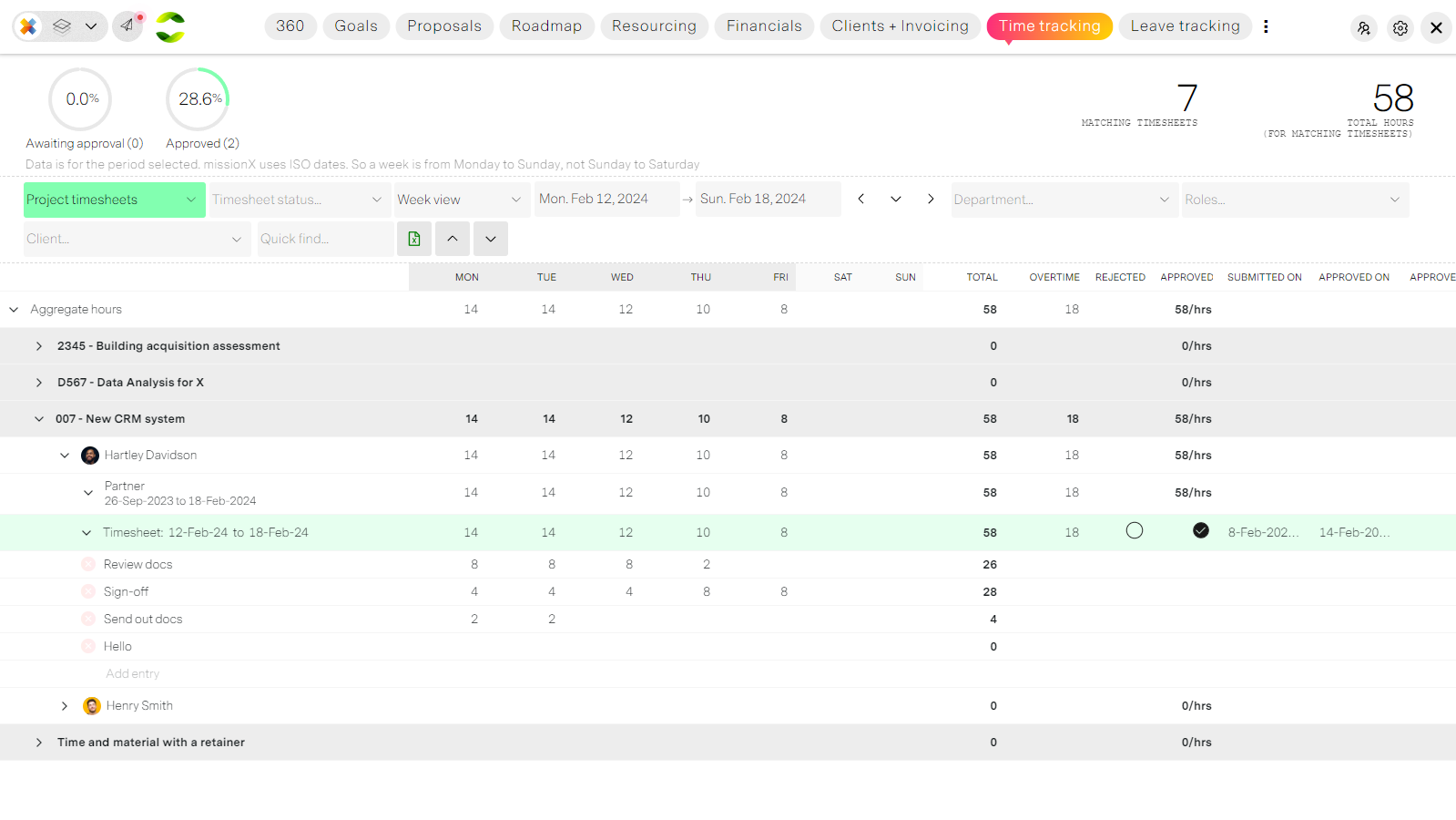
Timesheet management
Manage company and project timesheets with custome codes from one screen. Approve, edit, reject and submit time for people. Complete control.
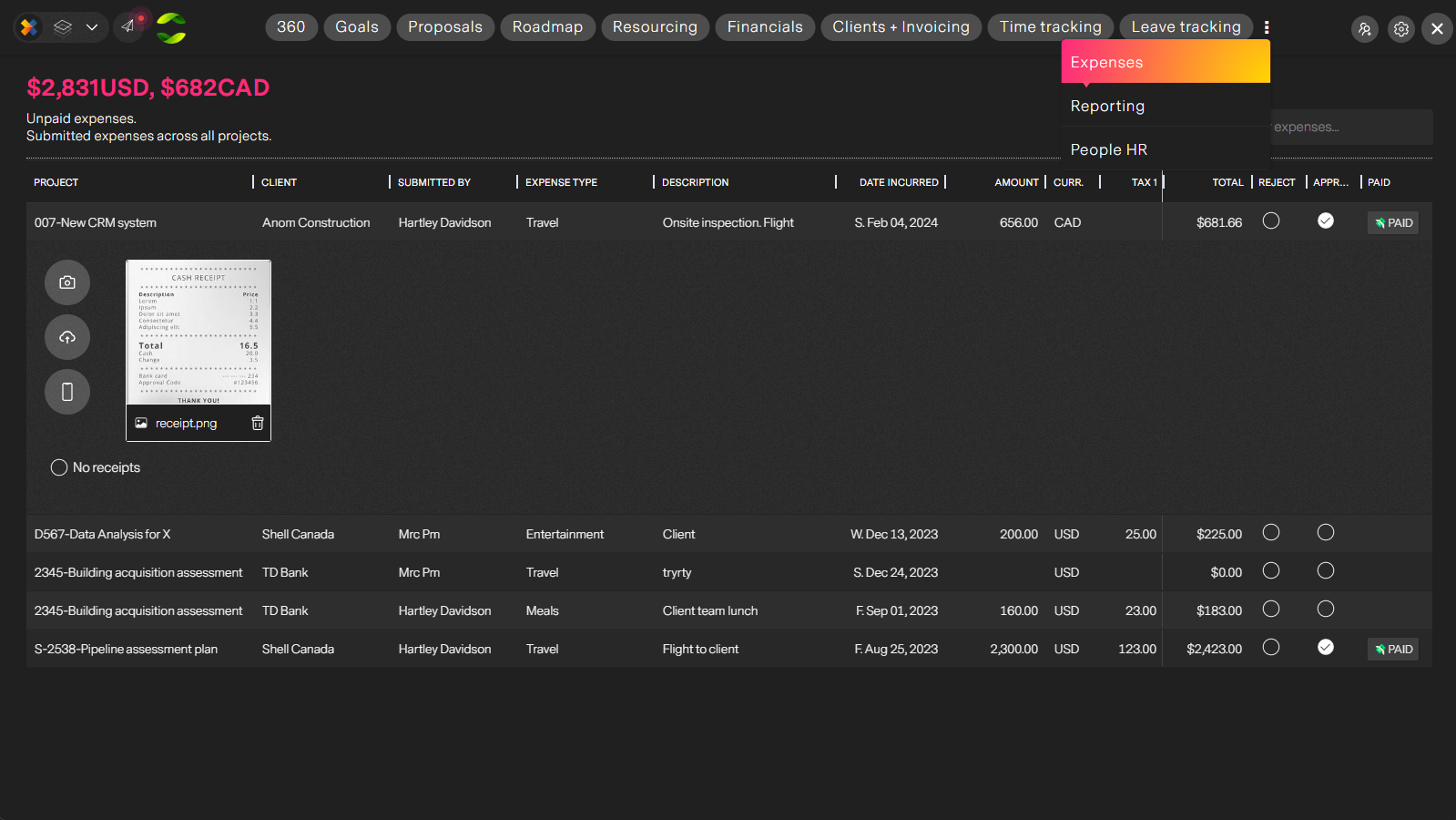
Expense management
All expenses across the organization managed from one convenient location in real-time. Approve, reject, report and export quickly and easily.
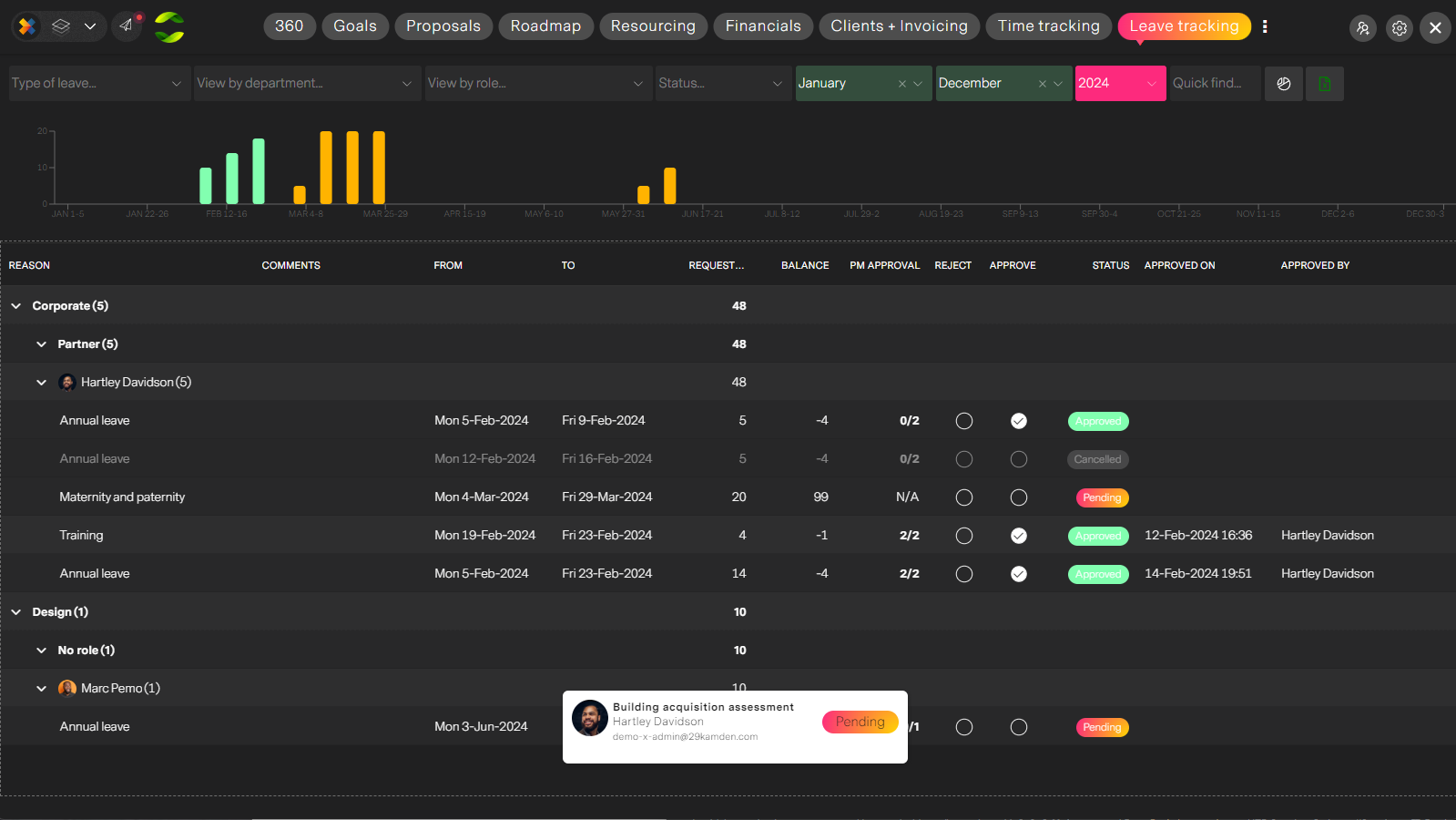
Leave management
Manage leave requests across the organization. Configure custom leave codes and track balances, review PM feedback and final approve or reject people's leaves.
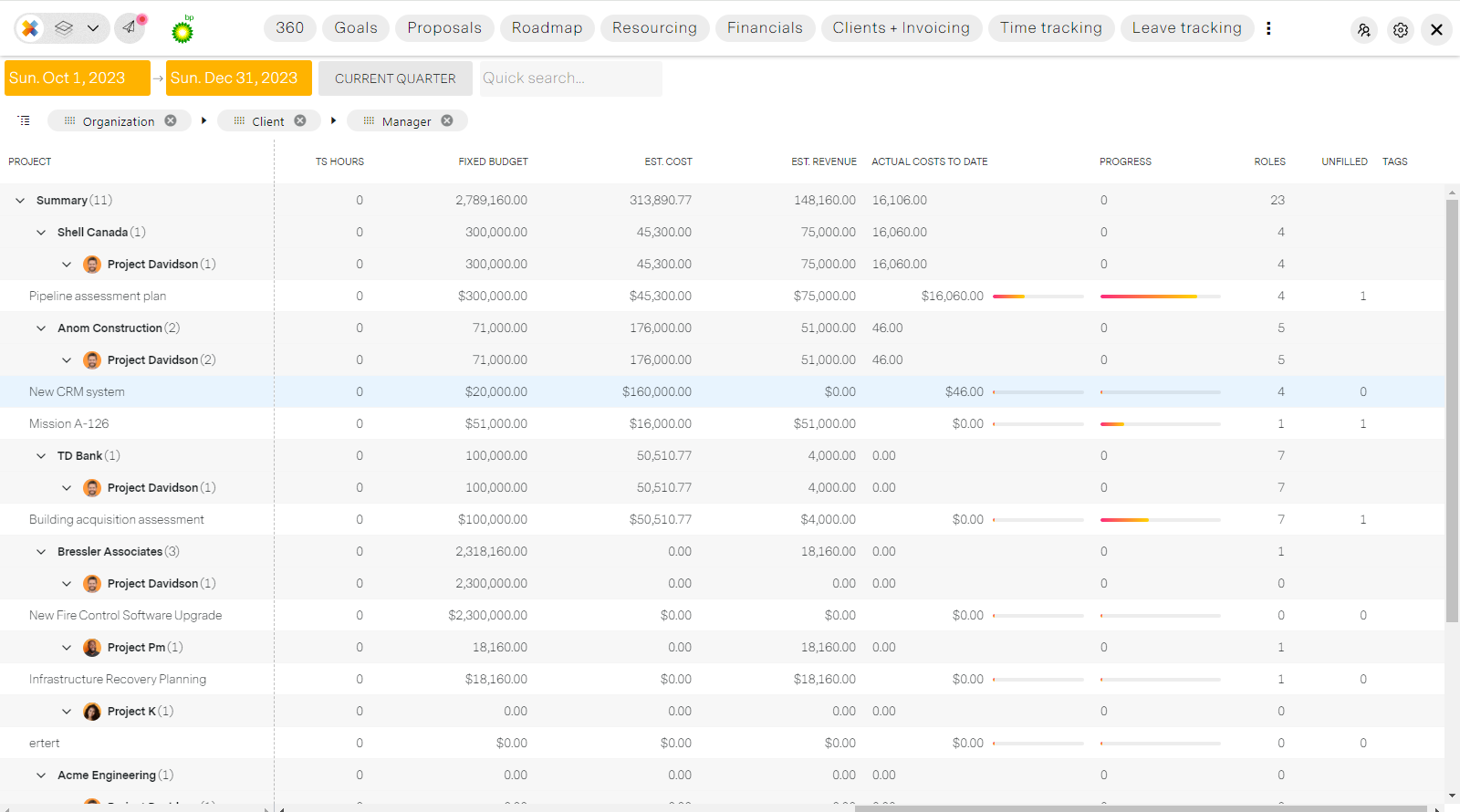
Reporting
Slice, dice and export all real-time data across the organization. An intuitive report generator allows you to filter, group and chart data to tell a story.
The Project manager's workspace
Manage one or one-hundred projects quickly and efficiently from one remarkable workspace. Designed to help and automate project management tasks like reporting, timesheets, budgets, expenses and scheduling.
When unburdened by admin work, and the overhead of multiple legacy apps, project managers can focus more on creative problem solving and customer satisfaction.
Access the workspace from anywhere in the application
by clicking the layers icon in the control panel in the top left.
Workspace tour
- Mission.Vision.Board.
- PM Power View
- Timesheet management
- Expense management
- Team leave requests
- Scheduling
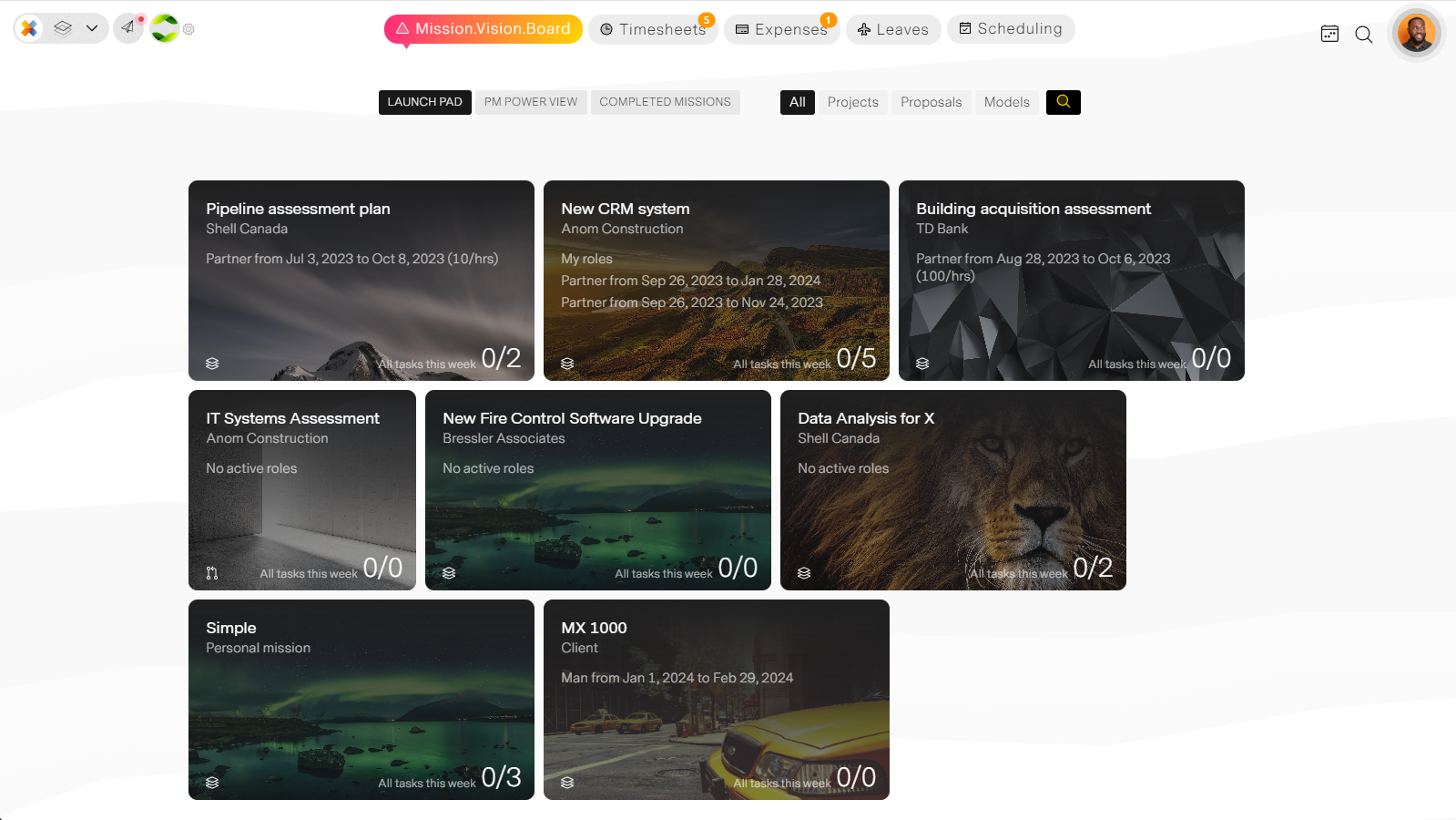
Mission.Vision.Board.
Your first stop on this tour, your project launch pad. At a glance information for all your projects that leads to each project's workspace.
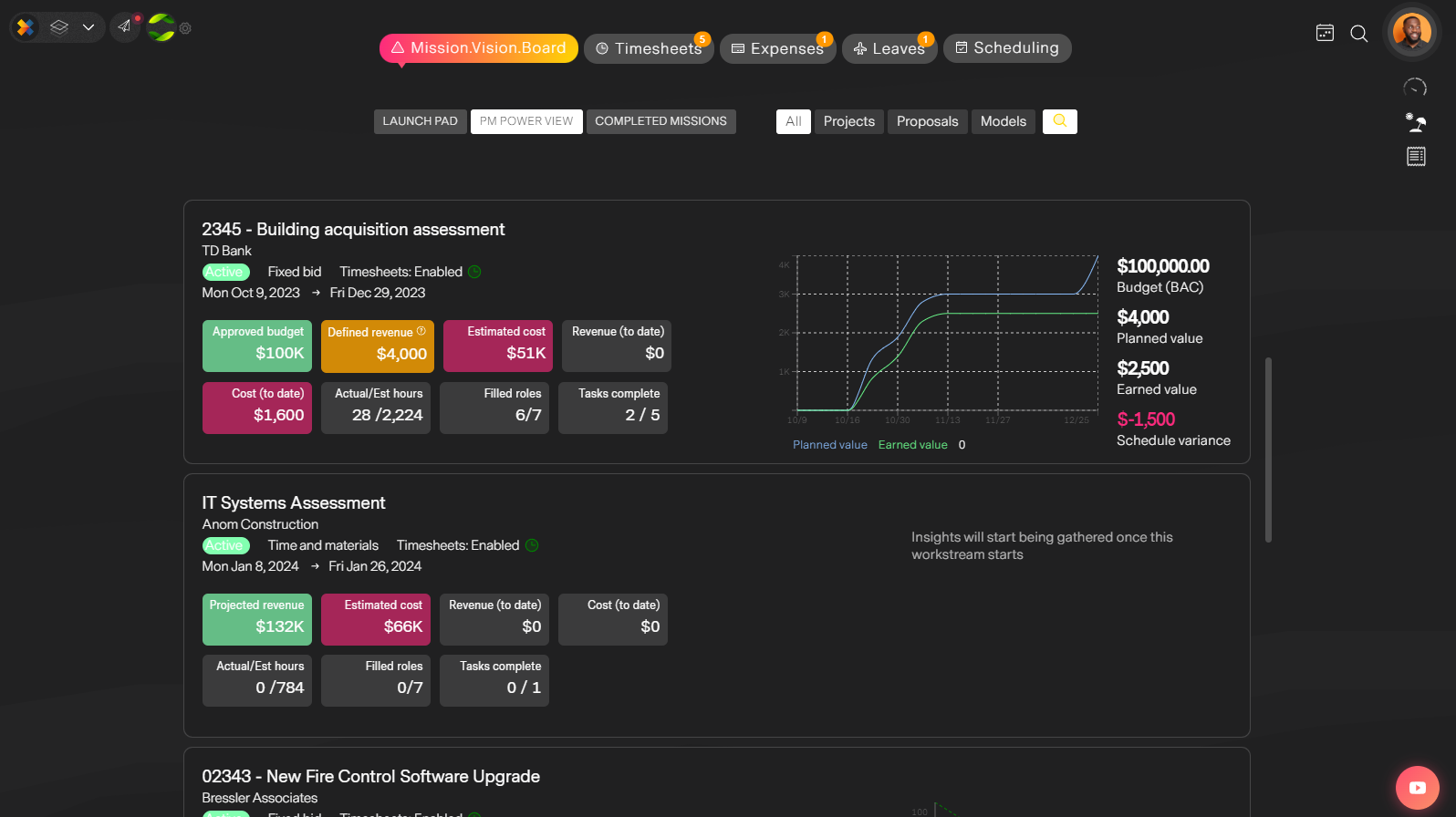
PM Power View
Incredibly powerful insights and analytics for each project automatically generated for yoy out-of-the-box. From burndown charts on Agile projects to Earned Value calculations in real time. Spot issues with progress, budget or roles and drill down to take action.
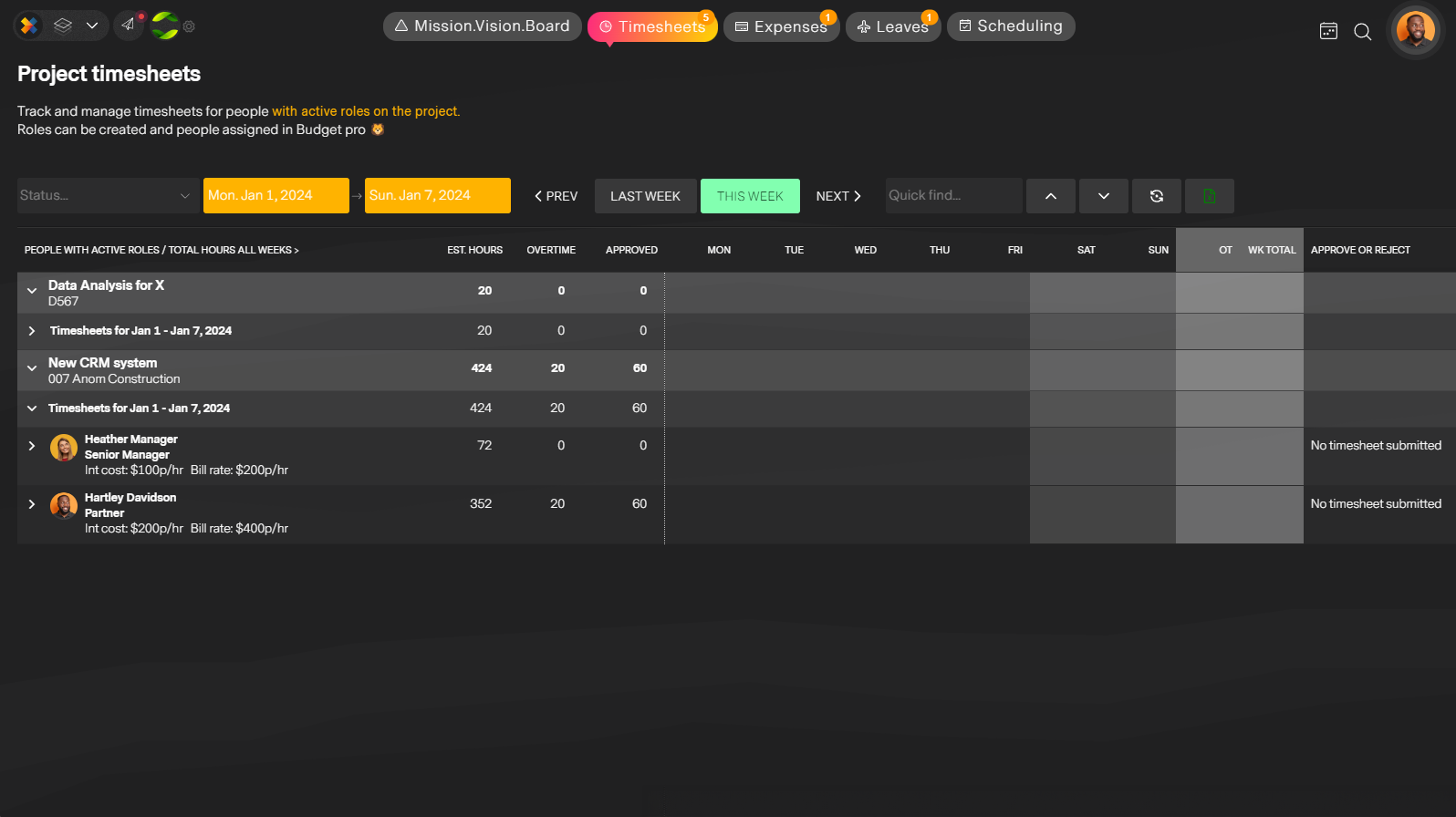
Timesheet management
All project timesheets for all your team on one screen. missionX automatically calculates overtime for you and signals people who are going over their estimated hours. Approve, reject and forget, your budget will automatically be updated.
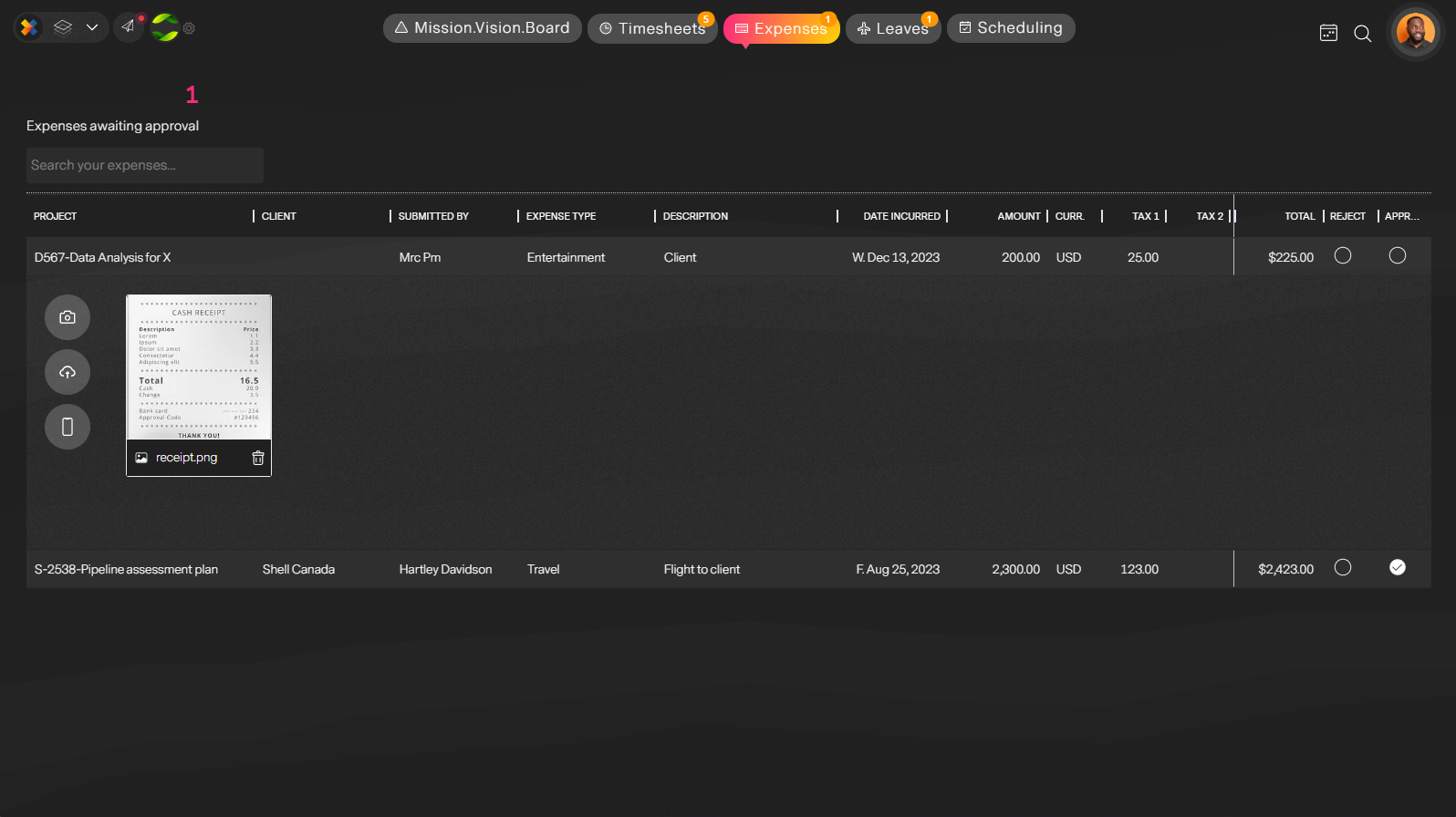
Expense management
Keep track of all expenses affecting your project. See key details. receipts and approve or reject as you wish. That's it. Expenses are directly tied to your budget, reports and invoicing. Automation is better.
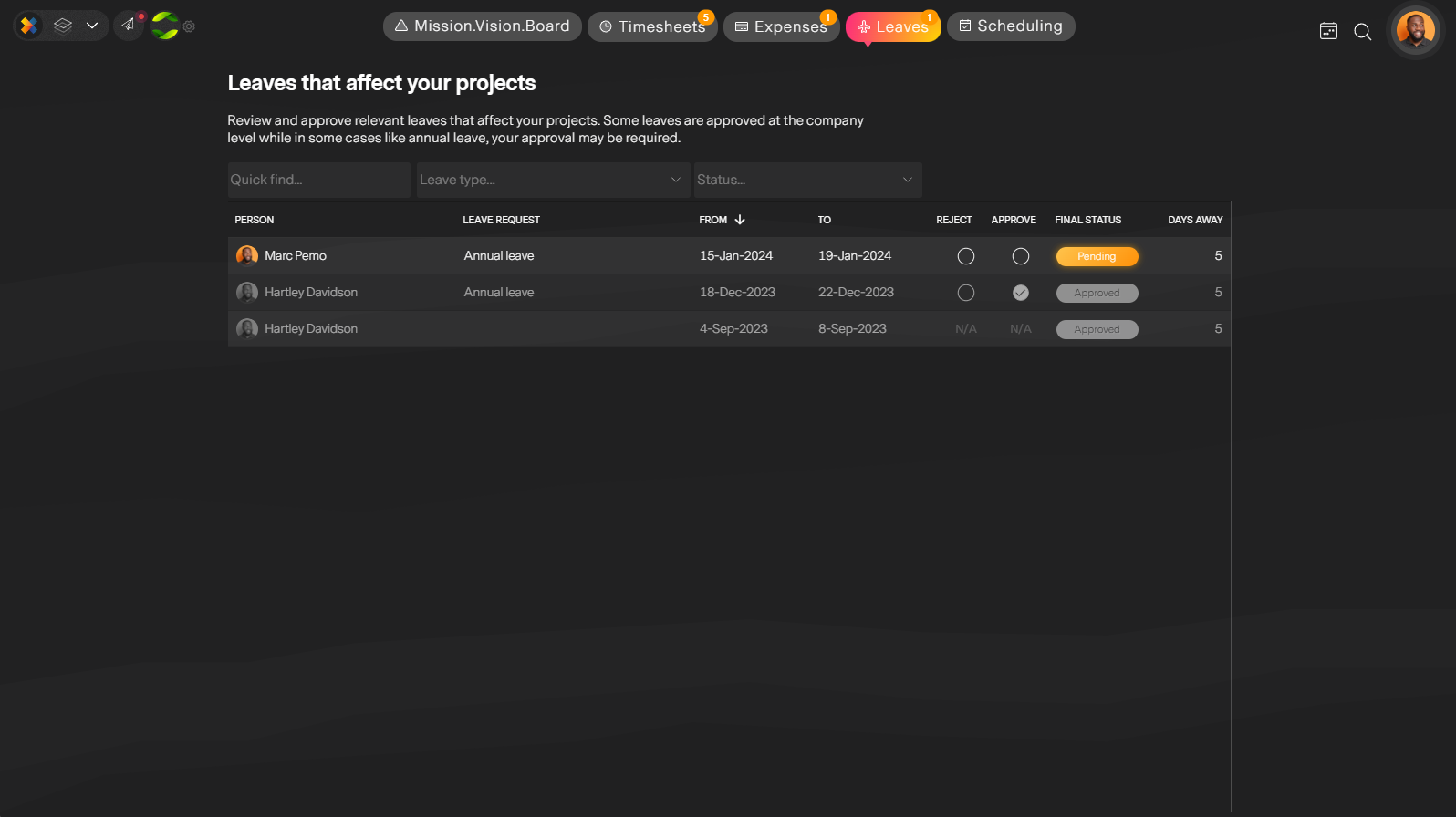
Team leave requests
Your vote matters. Besides having a complete overview of team members planning to take leave and how it will affect your projects, you can vote to approve or reject penidng leaves so no more surprises or projects left hanging when critical people take time off at the worst time.
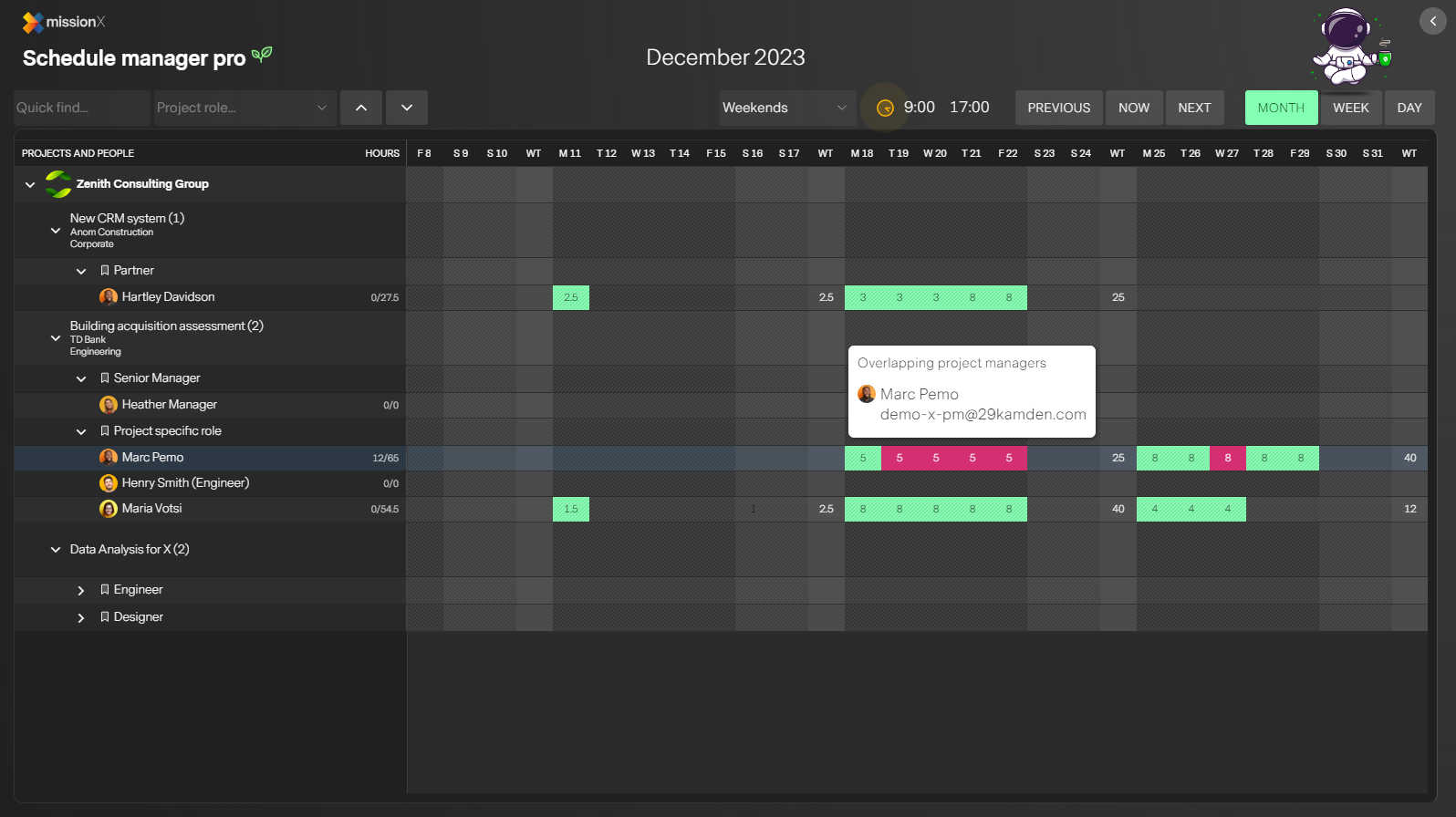
Scheduling
Schedule your team across projects and resolve conflicts quickly and easily without the countless meetings and email.
Project workspaces
There are four (4) unique project types in missionX that incorprate the best-practices and capabilities that support the most popular project management methodologies.
There is MX-Gantt for linear dependency based planning using Gantt charts, Modern Kanban for Agile and processe based projects, Structured Agile for large complex projects that need to be Agile but work to a roadmap with multiple workstreams or PODs and Simple Agile, a combination of mini Gantt charts spread out over each week of the project.
missionX allows you to choose between light and dark modes depending on your mood.
Workspace tour
- Simple Agile
- Modern Kanban
- MX-Gantt
- Structured Agile
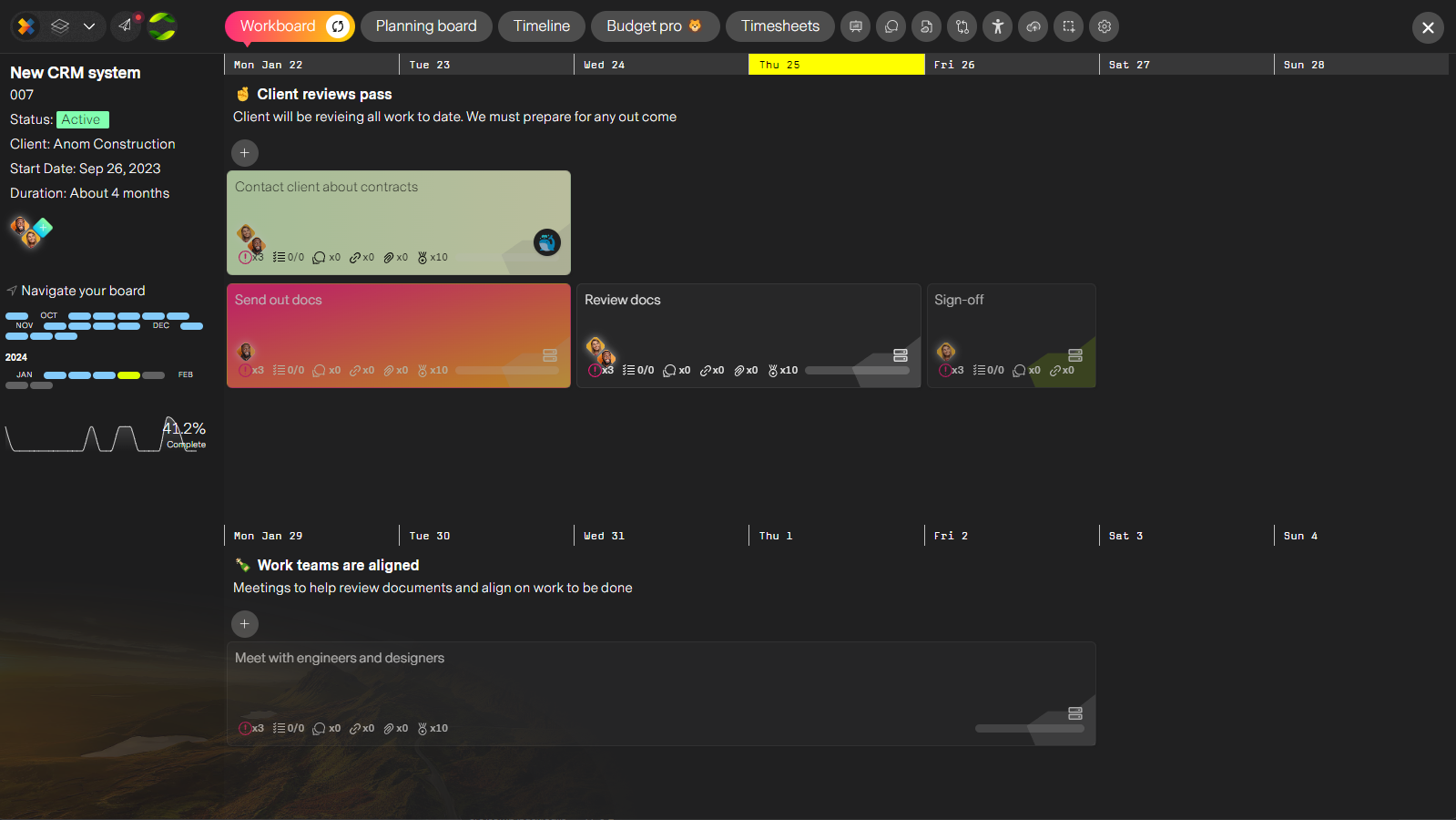
Simple Agile
Extremly simple yet very effective. Drag, drop and resize your tasks to create weekly plans. Without even knowing it you're becoming more Agile. If you're tasks don't complete they automatically get pushed over to next week. Switch between Simple and Kanban views on demand.
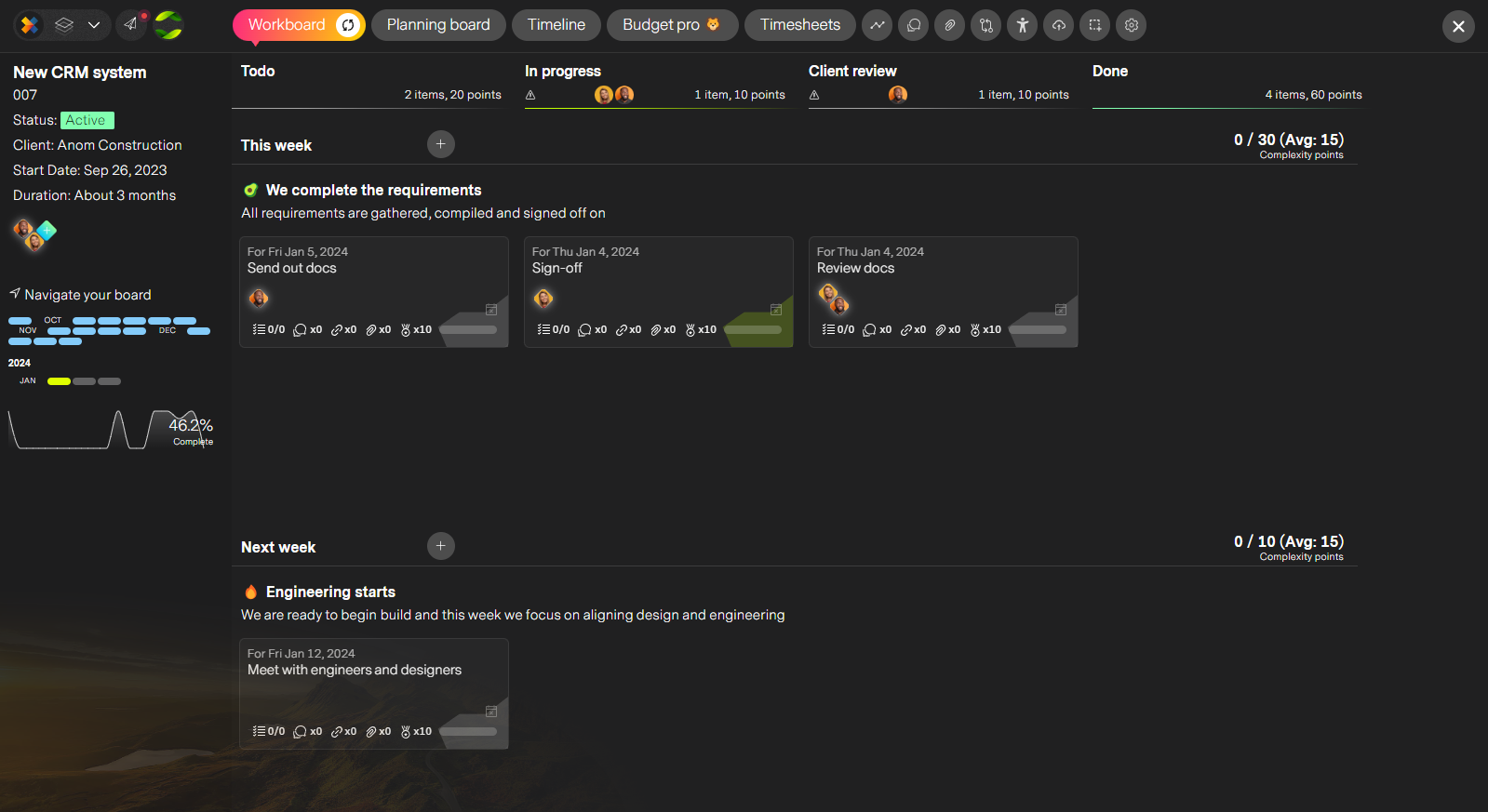
Modern Kanban
Agile, process oriented planning. Create columns for each step of a process, then drag and drop tasks when each step is completed until final complete. A great way to visualize where things are in the process and where you can be improving. PRO TIP: Assign people to each step of the process and AI will distrinute work automatically as tasks progress.
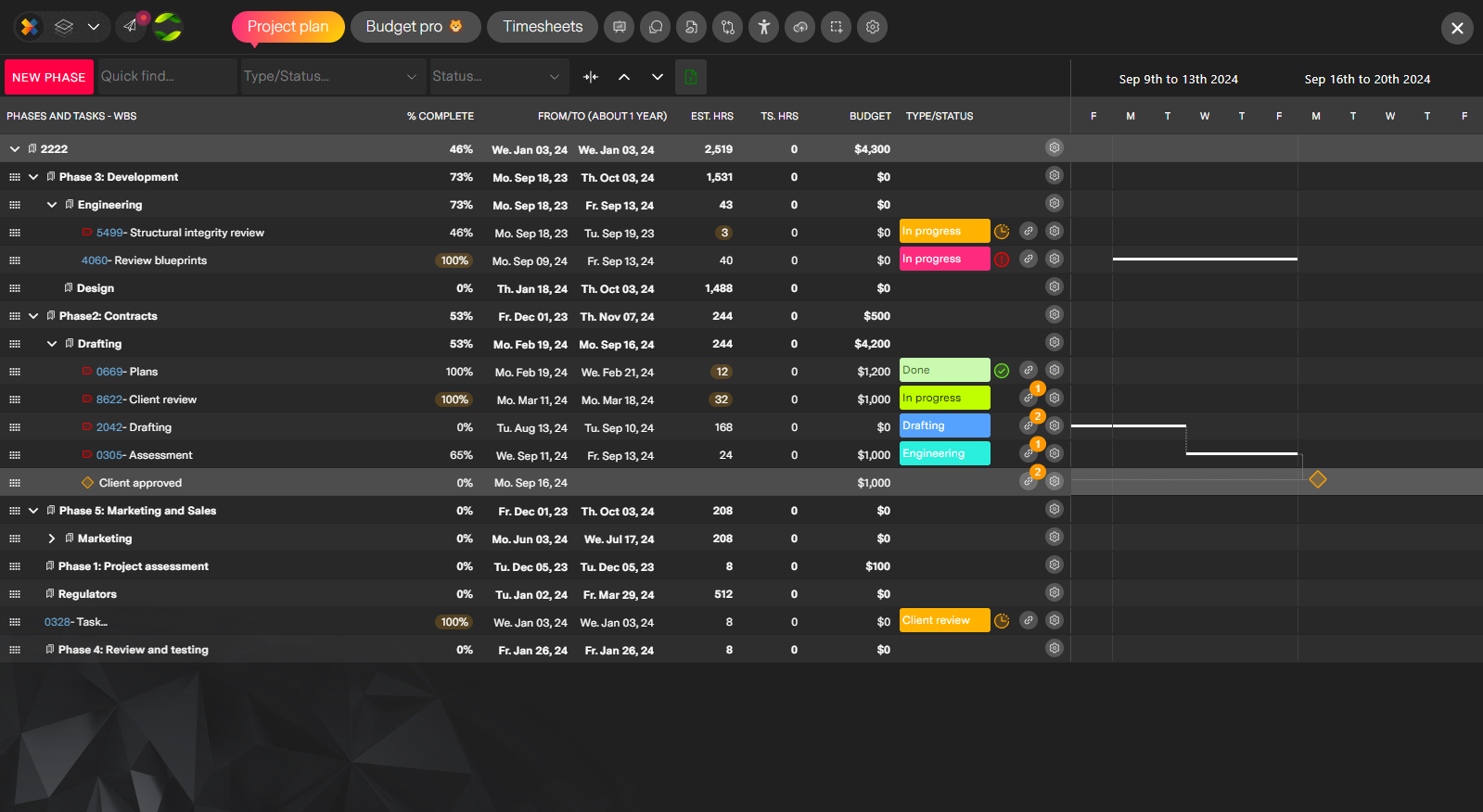
MX-Gantt
A modern take on the classic Gantt. Create phases, tasks, and subtasks to create a WBS (Work Breakdown Structure) for your project. Make dependencies, define budget and hours then track tasks using process tags.
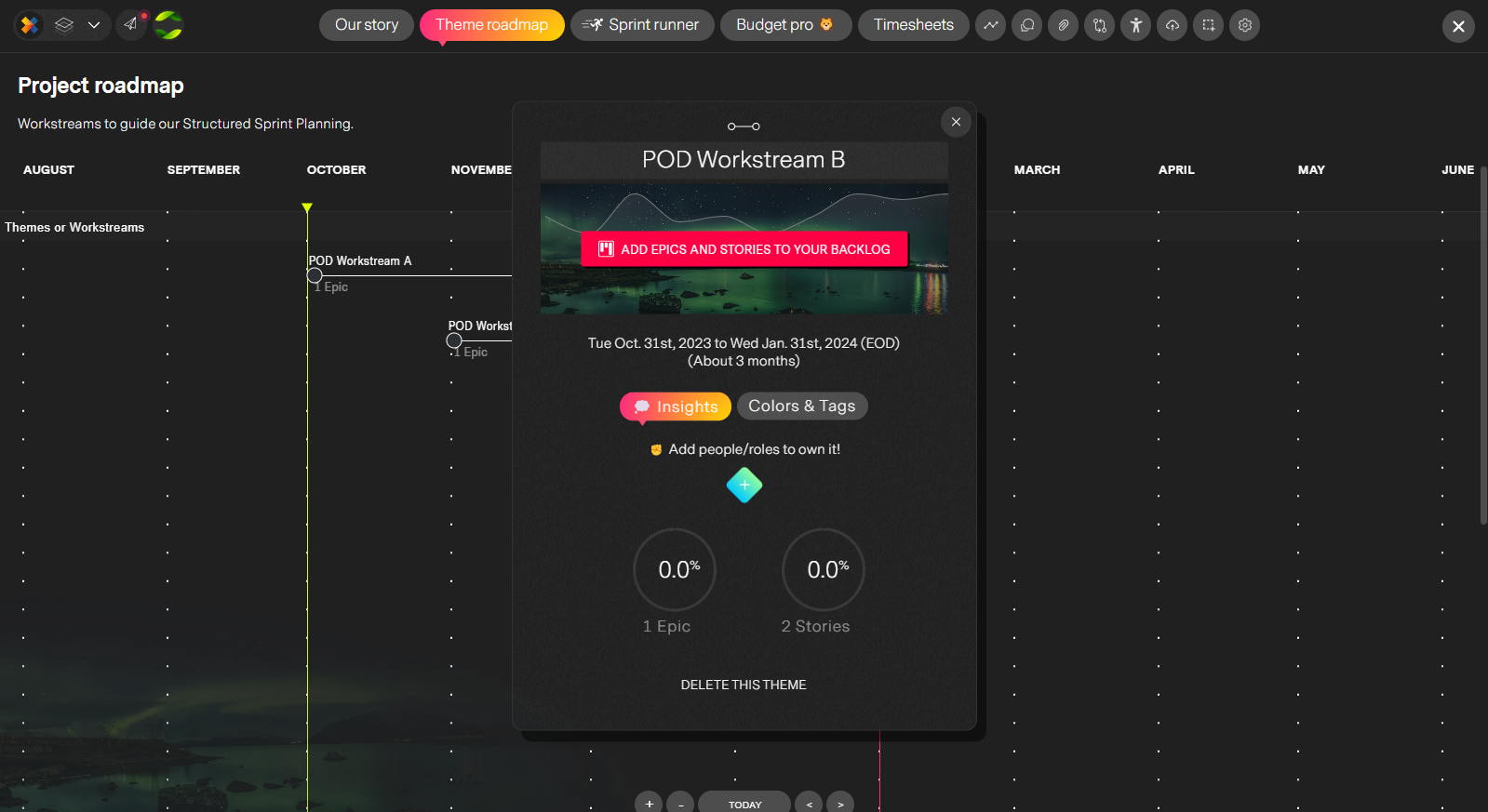
Structured Agile
Roadmaps, Pods, themes, stories, tasks and collaborative sprint planning using AI. Agile meets structured timelines. The most modern, capabale and refined Agile management system ever created.
Bonus apps
Every project workspace comes with the following extra apps built in to help you manage and deliver faster, more precisely with less effort.
Budget pro
The ultimate for managing costs and revenue right from your project. (Unlimited)
Planning board/Backlog
Organize and define your work into buckets or groups of tasks before moving them to your timeline.
Timesheets
Manage and view project timesheets directly from your workspace (Unlimited)
Client quality report
One-click to a beautiful, automatically generated printable report for status, budget, people and progress.
Discussions
Create and discuss topics of interest to the project. Facilitate best-practises and collaboration within the project instead of emails and meeting rooms.
Documents and files
Attach files and documents to your project library. Fast, easy, convenient and most importantly one place to go for documents like requierments, specs and contracts.
Process flow
The easiest way to manage a process for your tasks. Define all the steps a task needs to go through to complete. You can even add rules to catch errors and rework.
Your personal workspace
No fumbling around mulitple apps. Just one place to manage your day-to-day. Tasks, Expenses, Timesheets, Schedule and Leave requests all come to you.
 Access the workspace from anywhere in the application
by clicking the x logo on the control panel in the top left.
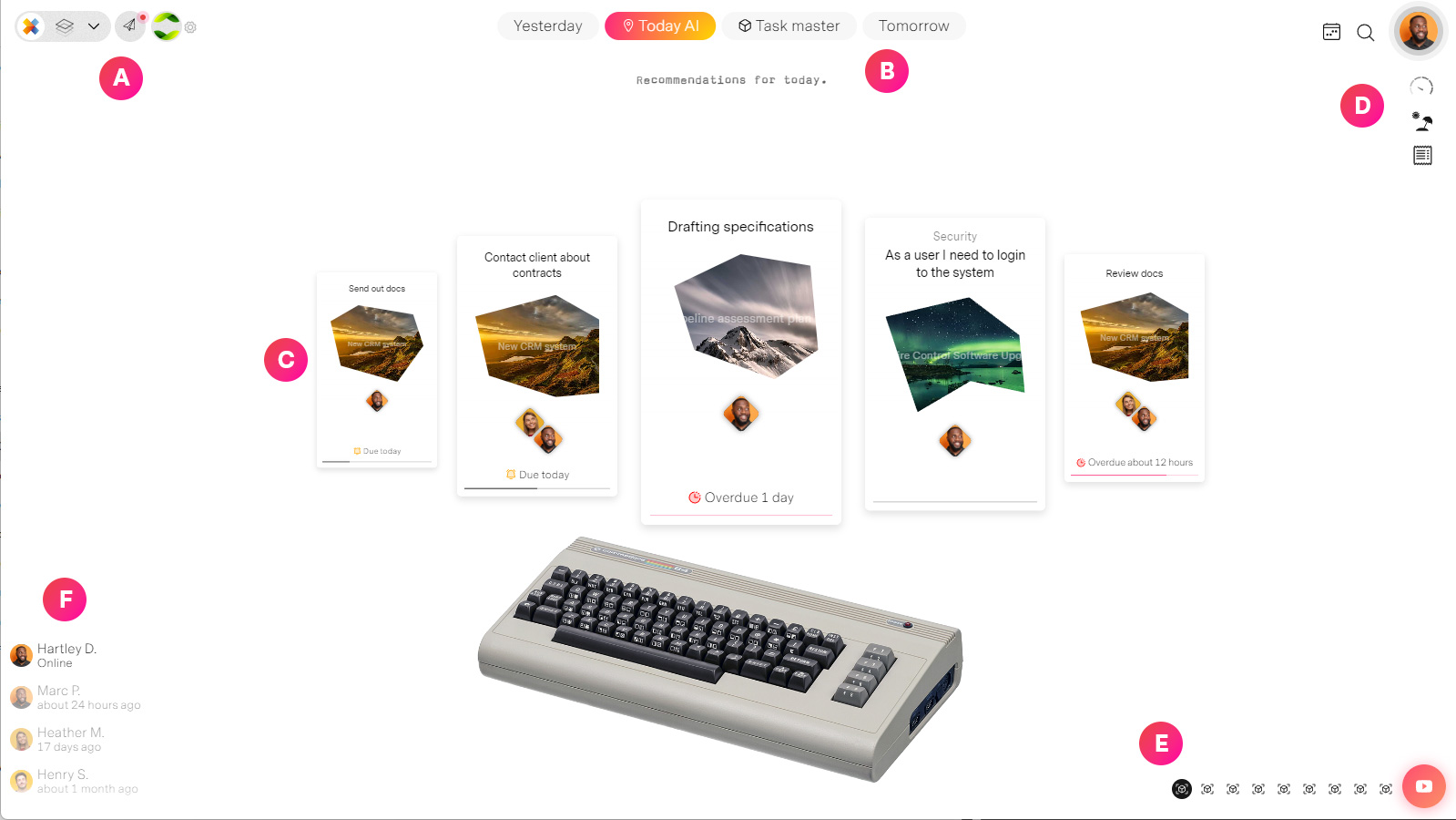
| Label | Feature | Description |
| A | Global navigation | Jump to anywhere in the system in warp speed... no 5 second page refreshes here. |
| B | Task view | Change your task view. Select from AI curated daily tasks to a time based list of tasks |
| C | Your tasks | Never miss or forget anything again with missionX. Your tasks and admin work organized and prioritized for you. |
| D | Your Admin tools | Manage expenses, timesheets, request time-off and view your schedule. Love doing the stuff you ususally avoid doing. Your avatar image allows you to access your account settings |
| E | Themes | Change the theme of your workspace. New suprises every month. |
| F | Who is online | View who is online and last login of your projects' team mates. |
Next steps
Create an account and try it out in under 2 minutes!