
 Launch
Project and budget settings
A project Admin or an organization admin can change and manage project settings. Settings are accessible from the project navigation bar.
Please note that most, if not all of these options are set during project creation in the Create project wizard. Here we will see how you can override them.
Project configuration
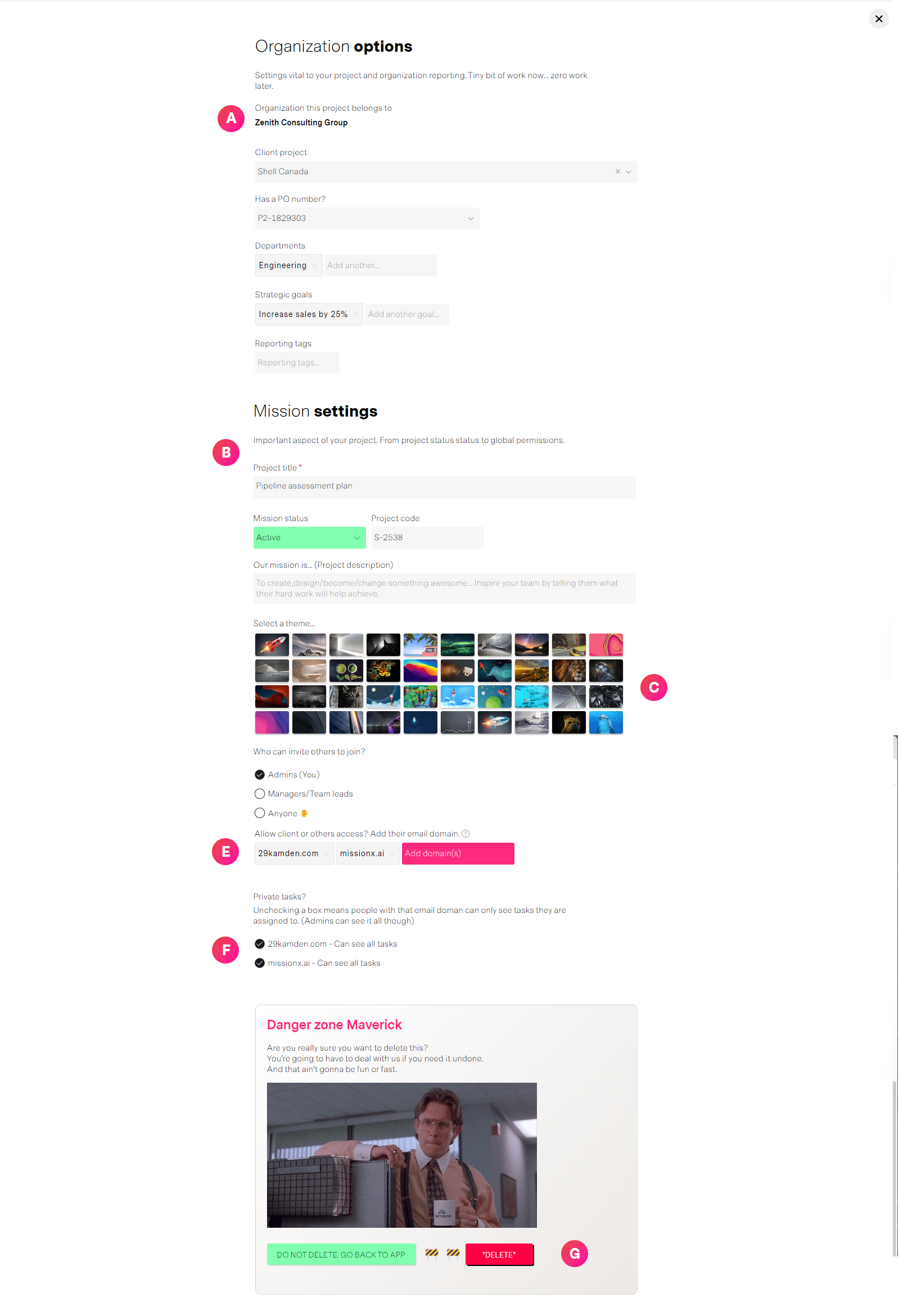
| Label | Feature | Description |
| A | Organization related settings | Information that ties the project to the organization. (Does not apply to personal projects) Options include
|
| B | Project options |
|
| C | Theme | Select a theme to differentiate and highlight your project from others in menus, lists and reports. |
| D | Nothing to see here | The graphics guy skipped D 🍸... Sorry. |
| E | Domain access | Define who can access this project based on email domains. By default it is based on the email you used to create the project, usually your work email (@my-work-email.com) This can be expanded to include other email domains for clients, external vendors, consultants, or partners you maybe working on this project with. |
| F | Private tasks | If access is given to more than one email domain, you can choose to make tasks private for any of the domains. By unchecking the button next to an email domain, that group of members will not be able to see tasks not directly assigned to them personally. Please note: Private tasks do not affect project managers and Admins. They can see all tasks. |
| G | Delete project | An Admin can choose to delete a project. This is a hard delete and cannot be undone. The project will disappear and it will be logged as it may effect reports, usually estimations and forecasts. For projects already in progress consider if setting them to Completed or Cancelled instead of deleting them makes more sense. |
Budget configuration
Options relating to Budget are available in Budget Pro for organizations with an Unlimited subscription.
These settings are first defined when you create the project and can be altered here after.
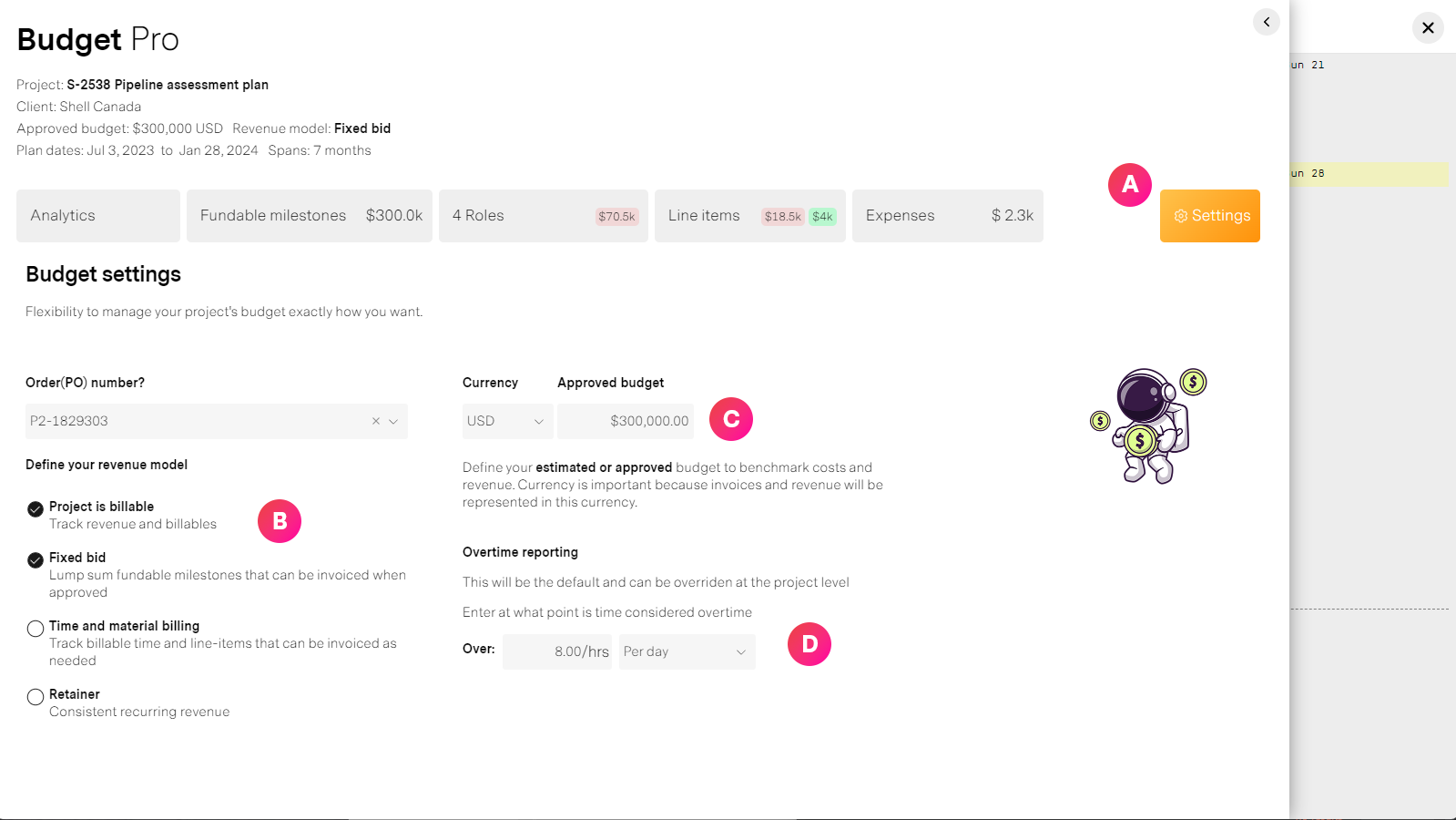
| Label | Feature | Description |
| A | Settings tab | Access this in Budget pro as an Admin or Prohect manager |
| B | Revenue model | A project can be billable or non-billable. For a project to be considered billable it must have a client (specified in Project settings) If a project is not billable, revenue will not be calculated but internal costs will be tracked if you have roles with an internal cost. If a project is billable or is planned to generate revenue...
|
| C | Budget and currency | Set the currency to use for this project's budget calculations. This will affect reports at the Organization level. Approved budget. This can be an approved amount by a client for a fixed-bid, the amount you have budgeted for an internal project, or just an estimate how much you expect to spend as a baseline. |
| D | Overtime settings | missionX automatically tracks overtime for timesheet enabled projects. How you track overtime is defined in the Organization Config panel but can be overridden at the project level. Tracking overtime can be done by OT hours per day or total OT hours each week. See Approving timesheets for more details |