
 Launch
Time and materials
In a time and material project, instead of quoting a fixed price for the entire project, you would just outline the rough scope of the project along with a quote for a fixed hourly or daily rate for labor and the cost of any materials and expenses.
Time and material projects are ideal for vendors because they are guaranteed to get paid for all their effort but it does mean that the client takes on more risk. However, this also gives the client a bit more flexibility in asking foir changes on demand without having to renegotiate and re-estimate.
missionX is ideal for managing time and materials budgets and invoicing because it allows you to capture, people's time, bill-rates, materials and equipment, all on the same platform. You can then instantly invoice directly from that same project data.
Creating a Time and materials project
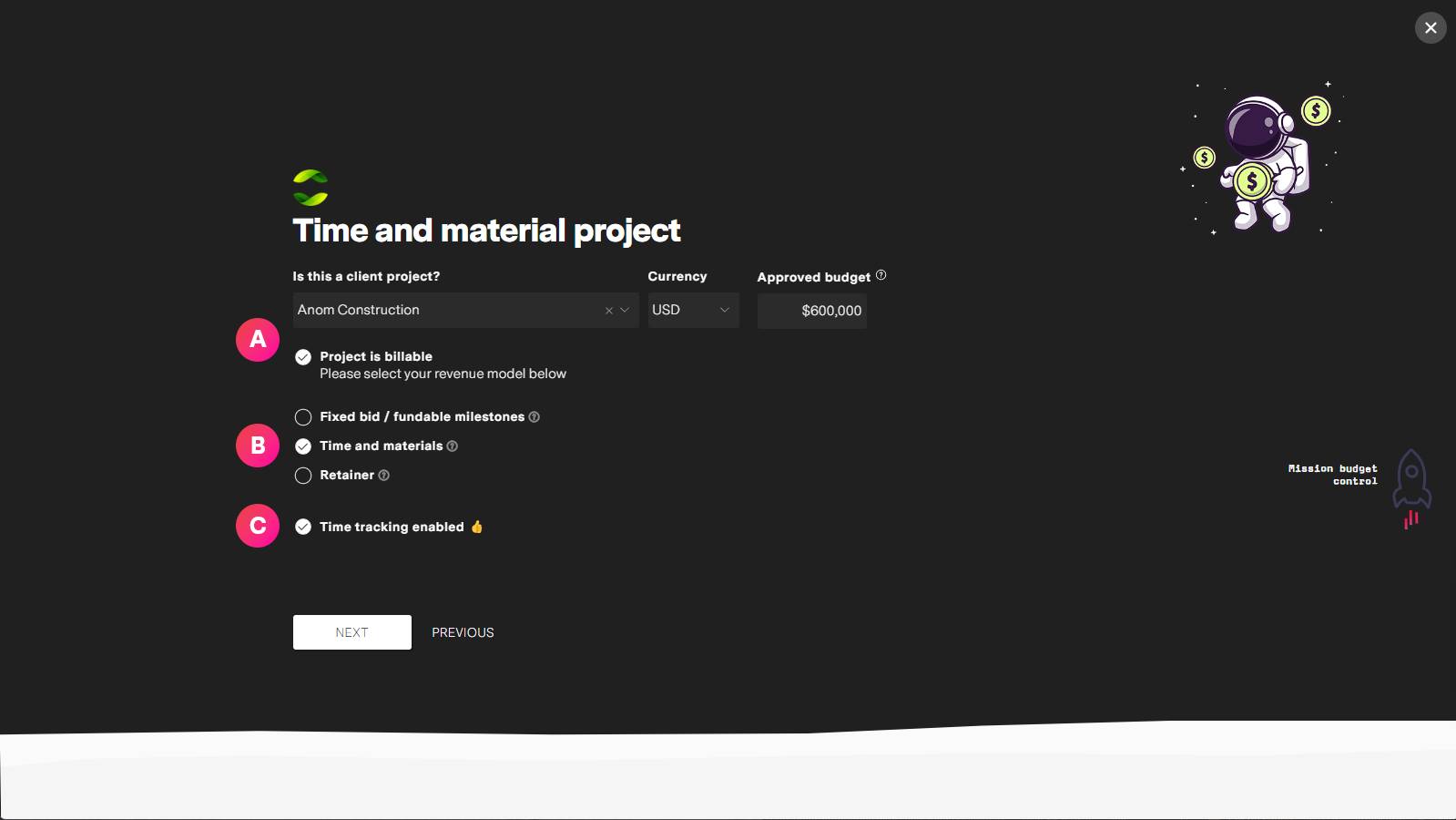
| Label | Feature | Description |
| A | Billable project | For a project to be billable you must select a client and make sure the "Project is billable" checkbox is checked. By default, all client projects are billable unless you uncheck the box. |
| B | Time and materials option | By selecting the "Time and materials" option, everything including people will have their bill rates set to any role default bill rates and be editable. This way all work will be tracked as billable and appear on invoices as it is realized. |
| C | Timesheets enabled | Although optional, a time and materials project does not make much sense unless you are tracking people's time and billing it accordingly. So it is a good idea to have "Time tracking" enabled. |
Time and materials in Budget pro
Manage all aspects of project budget from Budget pro. You can change settings from the Settings tab and adjust any other items from their respective tabs
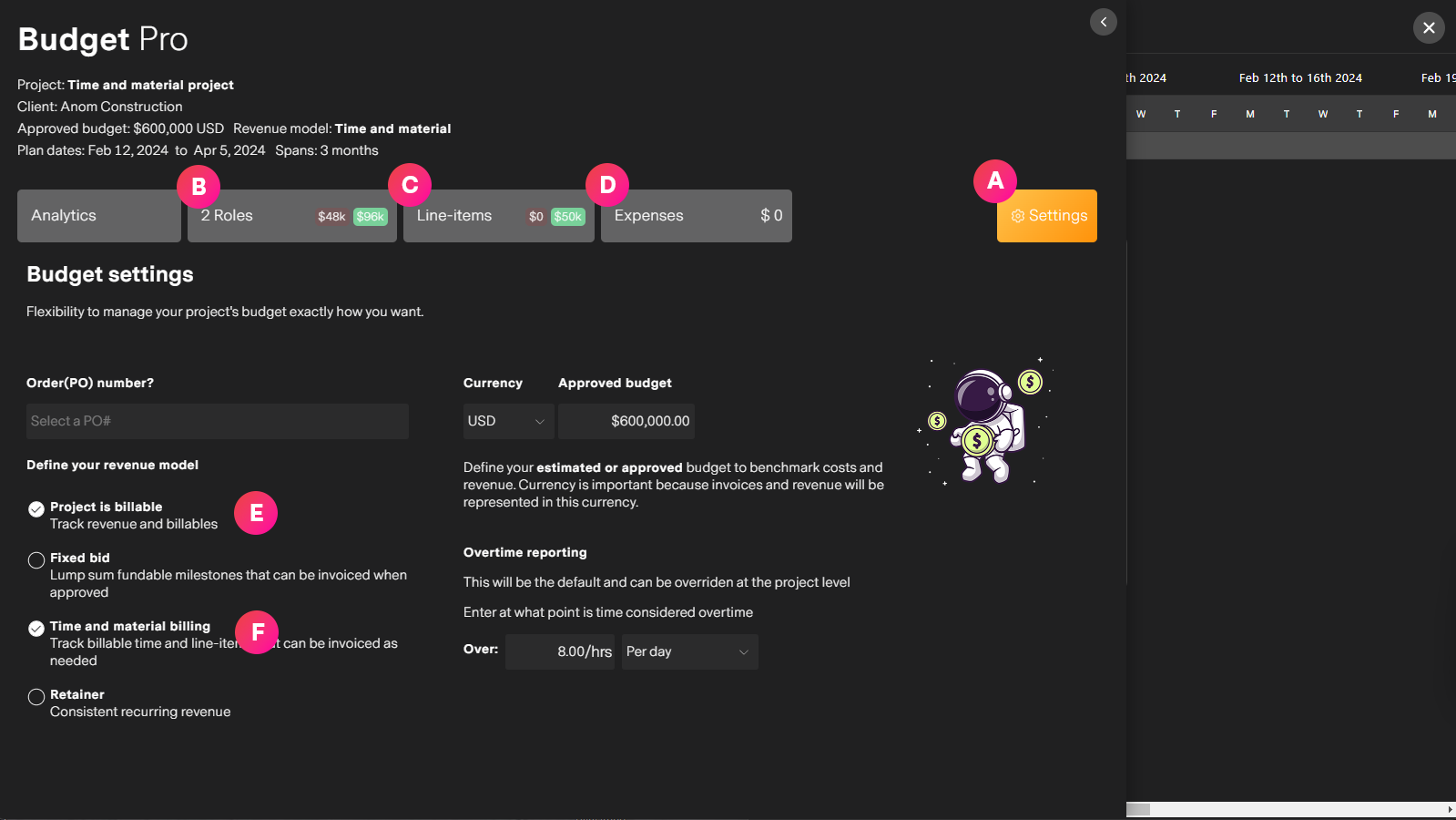
| Label | Feature | Description |
| A | Budget pro settings | The Budget pro settings tab has the default information from project creation. This can all be changed as needed before or during the project. |
| B | Roles tab | Manage people's roles on the project from the Roles tab. Adjust bill rates and estimated hours for invoicing approved timesheet hours. |
| C | Line-items tab | All your materials and other costs and billable items can be captured and tracked in the Line-items. Again, these are tied directly to your budget, reports and invoicing. |
| D | Expenses tab | Track and approve expenses for the project directly from the Expenses tab. |
| E | Billable project | For time and materials to work, the project must be a client project and the billable option selected. |
| F | Time and materials option | The time and material option tells missionX to track timesheet hours as billable. These will then appear as income on your estimated and actuals financial reports and ready to invoice as needed. |